Should you email your proposal, or walk the client through it? If you want to close more deals, stop hitting send and schedule a proposal review meeting instead: a short call where you present the proposal live. Emailing a proposal with a quick “let me know if you have any questions” feels efficient, but it quietly hands the most important part of your sale over to a PDF.
Here’s why the proposal review meeting works, and exactly how to run one.
The mistake: treating the proposal as the sales process
One of the biggest mistakes service businesses make is treating the proposal itself as the sale. You spend hours putting together a thoughtful proposal… then email it over and hope.
Why do we do this? Because we tend to flatten the buying process. We act as if people decide mechanically: they receive a PDF, read it carefully, weigh the pros and cons, and arrive at a logical conclusion.
But that’s not how people buy.
Why buyers don’t decide from a PDF
Buying a marketing engagement, an IT project, or a new website is a big, complicated decision. The moment your proposal lands, your prospect has a dozen thoughts running through their head:
“Why did they recommend this service?”
“Can I afford this?”
“What happens if this doesn’t work?”
“Should I wait another month?”
Those questions are coming either way. The only thing you control is whether they get answered in isolation… or in conversation.
A PDF can’t explain why you structured the proposal the way you did. It can’t notice the moment a client looks confused. It can’t reassure someone who’s nervous about a large investment. And it can’t help a prospect compare two options and discover which one is actually the better fit.
You can.
What a proposal review meeting actually does
A proposal review meeting is a short, scheduled call where you present the proposal live instead of emailing it cold. It turns a one-way document into a two-way conversation, the one where deals are actually won or lost.
In that meeting you can:
- Walk them through your recommendations so nothing gets skimmed or misread.
- Explain your reasoning behind each section and price.
- Answer objections in real time, before they harden into a “let me think about it.”
- Adjust the scope together if the fit or budget needs tuning.
Sometimes spending five minutes discussing a single line item completely changes how a client sees the entire proposal. That’s something no document can do on its own.
How to run a proposal review meeting
You don’t need a complicated process. You need a calendar invite and a proposal worth walking through.
- Book the meeting before you send. Don’t offer to “email it over.” Instead: “I’ll put this together and walk you through it on a quick 20-minute call.” The presentation is the deliverable, not the PDF.
- Set context first. Open by restating their goals and what you heard on the discovery call, so the proposal lands as the answer to their problem.
- Present recommendations, not just prices. Walk each section in order and explain the why before the number. Value first, cost second.
- Watch reactions and invite questions. Pause on anything that gets a raised eyebrow. The confusion you catch live is the deal you save.
- Adjust scope on the spot. If budget is tight, tune the scope together. This is far easier when your proposal has multiple pricing options or optional add-ons they can toggle.
- Ask for the next step. Never end a review meeting without a clear decision or a specific follow-up date. Momentum fades fast once the call ends.
Make your proposal worth walking through
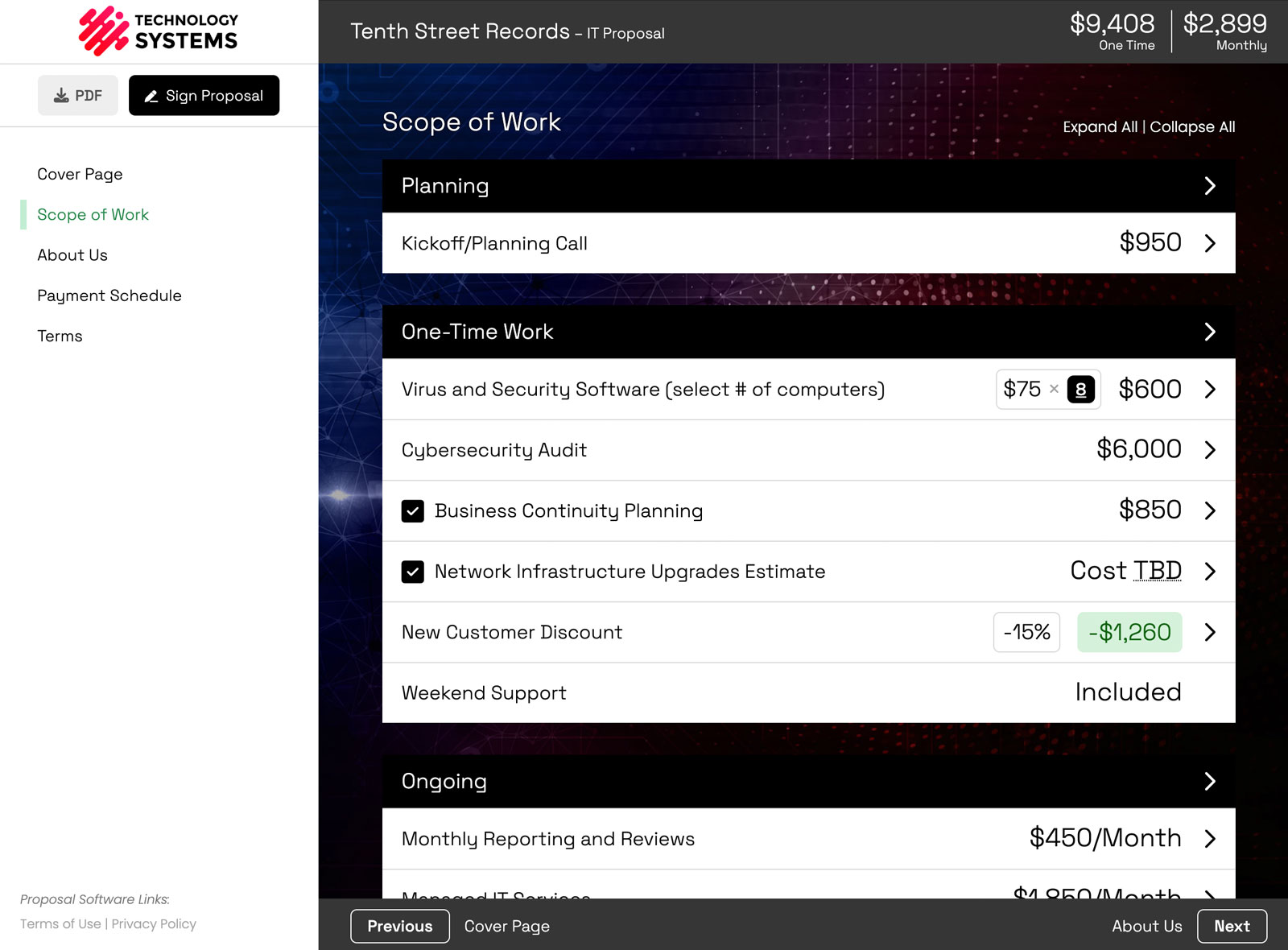
The easiest way to get clients to say yes to a review meeting is to make the proposal itself worth reviewing. A static PDF is hard to present and harder to change on a call. An interactive proposal (clear line items, optional upsells they can toggle, and pricing that updates live) turns the review meeting into a genuine working session.
That’s a big part of why we built Smart Pricing Table, the interactive proposal software agencies and MSPs use to present, adjust, and sign deals while the conversation is still hot. If you run an agency, our proposal software for marketing agencies is built around exactly this workflow.
or start a free trial and build a proposal worth presenting.
Explore more
See interactive examples
Proposal software for agencies
Let clients choose & sign
Frequently Asked Questions
What is a proposal review meeting?
A proposal review meeting is a short, scheduled call where you present your proposal to the prospect live instead of emailing it. You walk through your recommendations, explain your reasoning, answer questions, and adjust scope together, turning a one-way document into a two-way conversation.
Should I email my proposal or present it live?
Present it live whenever the deal matters. Emailing a proposal leaves your prospect to answer their own objections in isolation, which is where deals stall. A live review lets you handle concerns in the moment, when you can still influence the decision.
How long should a proposal review meeting be?
Usually 15 to 30 minutes is plenty. The goal is to walk through the recommendations, answer questions, and agree on a next step, not to re-run the entire discovery call.
What if the client won’t take a meeting?
Frame the call as a benefit to them: “I want to make sure the scope and budget are exactly right before you commit.” If they still decline, send a short walkthrough video (a Loom) so they at least hear your reasoning instead of reading a cold PDF.
Doesn’t a review meeting slow the sale down?
It usually speeds it up. Emailing a proposal often starts a week of silence and follow-ups. A review meeting compresses that back-and-forth into one conversation. Just keep the turnaround quick so you meet while the deal is still top of mind.
You might also like:
👉 Sales Meetings Are Optional. Proposal Review Meetings Are Not.
👉 How to Get Your Clients to Actually Read Your Proposal