You’ve probably used all of them:
- The bloated PDF that takes forever to design
- The Google Doc you slap together five minutes before the deadline
- The PowerPoint deck you present like it’s a shareholder meeting
And look—we’ve all been there.
But if you’re serious about closing more deals, it’s time to be honest:
Here’s why each of them needs to go—and what to use instead.
1. The Problem with PDFs: Final, Friction-Filled, and Forgotten
PDFs feel professional. They look “done.”
But that’s exactly the problem.
- They’re hard to skim
- Impossible to interact with
- Look like they can’t be changed
- And once they’re sent, they’re out of your hands
Most clients don’t read them. They glance, get confused, and move on.
We go deeper on this in The Proposal Graveyard-why most PDFs die unread.
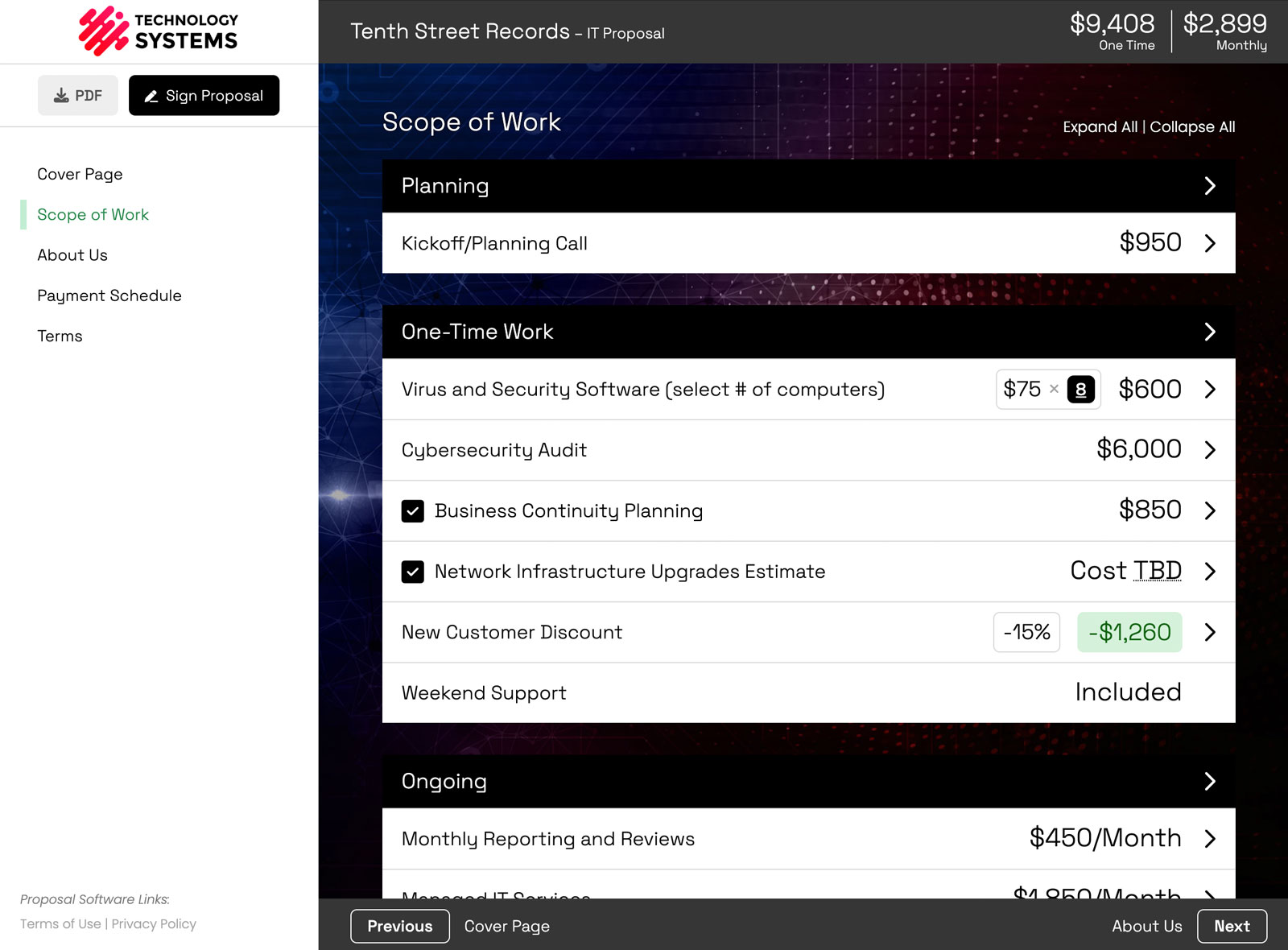
Better move: Use a web-based proposal tool that’s designed to be interactive, modular, and mobile-friendly.
If you want to see what that looks like, check out our sample proposals.
2. Google Docs: Casual ≠ Clear
Google Docs are great for drafting ideas.
But sending one as a client proposal?
Yikes.
- It looks rushed
- It’s easy to change (accidentally or otherwise)
- It screams “we didn’t think this through”
- And clients don’t always know where to look or what’s important
Even with comments or formatting, it lacks structure.
Better move: Present your services like a product—clear descriptions, structured pricing, optional items, and smart summaries.
That’s how you look confident. That’s how you look expensive.
3. Slide Decks: Death by Bullet Point
This one’s common in agencies and consultants:
You get on a Zoom call, share your screen, and walk through a 20-slide proposal.
And your client?
- Checks out halfway through
- Can’t remember what each slide meant
- Gets no leave-behind
- And still has to ask for pricing clarification later
They don’t invite collaboration. They don’t invite selection. They don’t convert.
Better move: Give the client a dynamic document they can interact with after the call—one they can review with their team and actually make decisions from.
Want to compare formats side by side? See our breakdown on the features page.
What to Use Instead: A Proposal that Acts Like a Sales Tool
The goal of your proposal isn’t just to “present information.”
It’s to move the deal forward.
That means your format should:
- Let clients scan and click
- Let you highlight optional items
- Make scope and pricing feel modular
- Show the why, not just the what
One that feels tailored, but not chaotic.
Professional, but not inflexible.
Don’t let your format sabotage your pitch
You might have a killer strategy. A great team. A perfect-fit solution.
But if your proposal format is clunky, vague, or lifeless—your deal stalls before it ever had a chance.
Modern service businesses need modern proposals.
It’s not about looking fancy—it’s about being clear.
Smart Pricing Table was built specifically to help agencies and pros like you send structured, interactive, flexible proposals that close.
👉 Learn more or book a no-obligation demo