Terms and Conditions That Match What Your Client Bought
Most terms pages are written to cover every service you might sell. So the client reads pages of contract language about work they didn't buy, and you either leave it there or edit it by hand after they pick their options. One of those is confusing. The other is easy to forget.
Dynamic Terms fixes it at the source. Each service in your proposal carries the terms that apply to it. When the client makes their selections, the terms page assembles itself from what they chose. What they sign covers the work you're actually doing, and nothing else.
A Short Walkthrough of Dynamic Terms
Watch terms attach to a service and the terms page follow what the client selects.
Each Service Carries the Terms That Apply to It
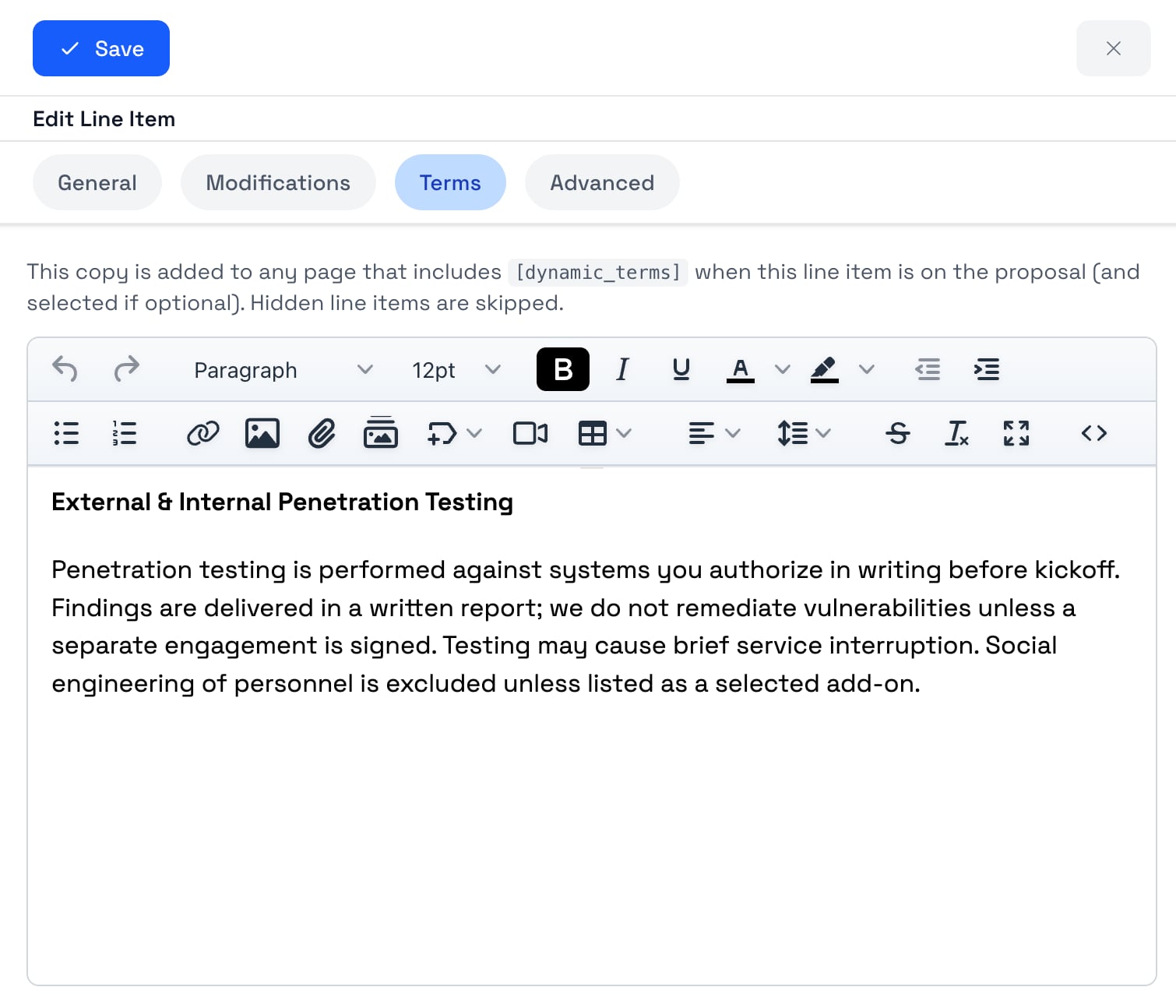
Every service in your proposal can hold its own terms. Warranty language, turnaround windows, client responsibilities, cancellation rules — whatever that piece of work needs. You write it once, next to the price and the description, so it stays with the service instead of drifting into a separate document nobody maintains.
On your terms page, you drop in a single placeholder: [dynamic_terms]. That's the only piece of setup. When the proposal renders, the placeholder fills in with the terms from the services that are selected and visible, in the same order they appear in the proposal.
Save a service to your library with its terms attached and the language travels with it. The next proposal that uses that service already has the right clause, written the way your team agreed to write it.
![Proposal editor with the [dynamic_terms] placeholder on a terms and conditions page](/images/product_screenshots/dynamic-terms-token-insert.jpg)
A Terms Page Built From the Proposal in Front of Them
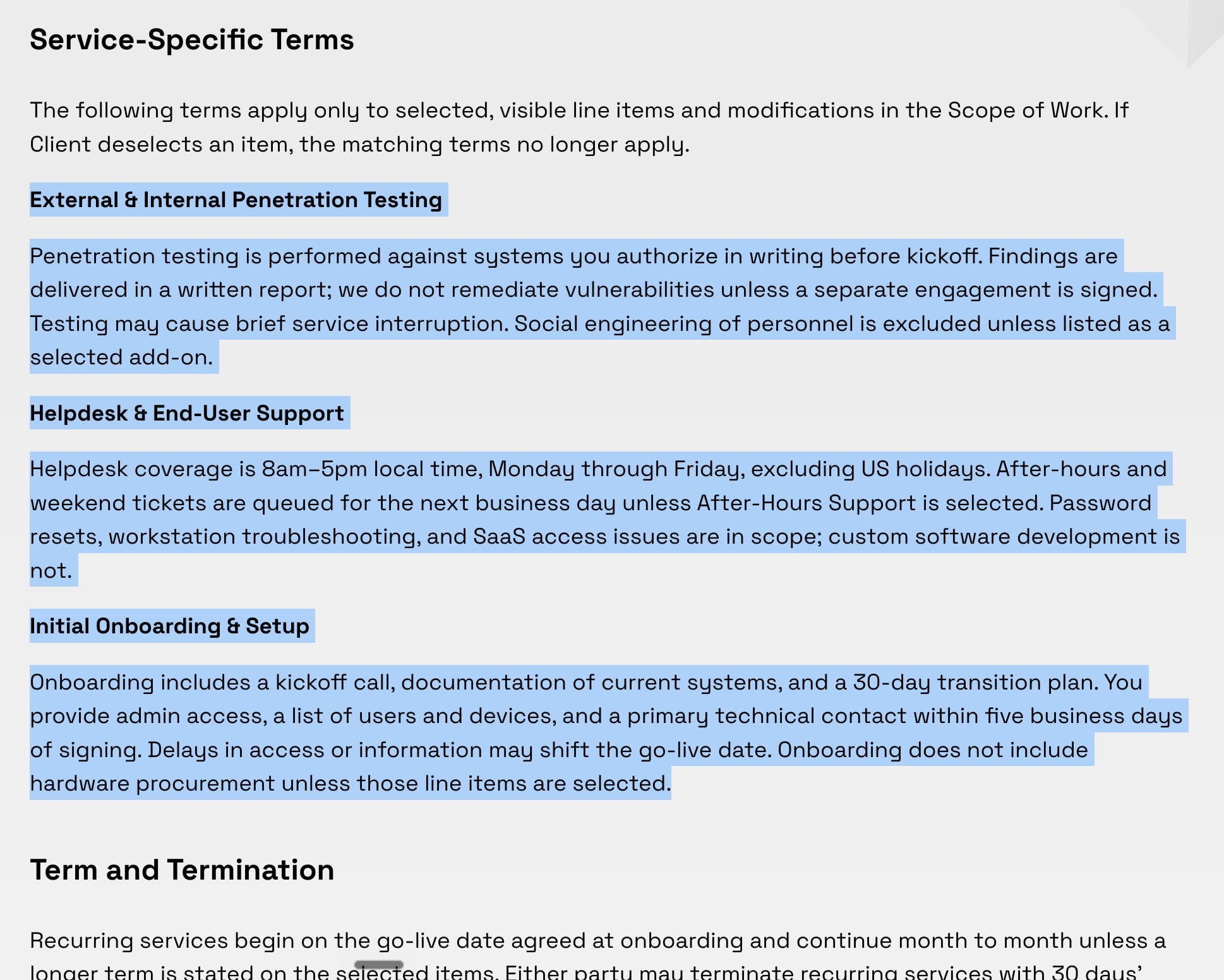
The client checks the services they want, adjusts quantities, and skips the ones they don't need. The terms page updates to match. Every clause on it maps to something they're paying for, so they can read it instead of skimming it.
That's the difference between an interactive proposal and a PDF. A static appendix has to describe the widest version of the deal. Your terms describe the deal they signed.
Only the Terms That Apply
The terms page is assembled from the proposal, not maintained on the side. Here's what that means in practice.
Only the Services They Selected
Terms appear for the work the client chose. If a service isn't part of the deal, its language never shows up.
Optional Services Carry Their Own
Add-ons and upsells hold terms the same way a core service does. Check the box and the terms come with it. Leave it unchecked and they don't.
Order Follows the Proposal
Terms print in the same order the services appear, so the contract reads in the same sequence as the pricing the client just approved.
Nothing Left Over
Services you've hidden don't contribute terms, and any service with an empty terms field is skipped. No blank headings, no orphaned paragraphs.
Want to see this on one of your proposals?
Built for Anyone Whose Contract Language Changes With the Scope
If your terms depend on which services a client buys, you already know the problem. These teams run into it every week.
IT Companies & MSPs
Service levels, response times, and onboarding commitments differ by service. Put the right terms on each one so a client who takes managed support and skips the optional projects only signs the coverage they're paying for.
Marketing Agencies
Retainers, campaigns, and production work all come with different revision limits, approval windows, and usage rights. Each service carries its own rules, so the contract matches the mix the client picked.
Consultants
Deliverables, scheduling, and confidentiality terms shift from engagement to engagement. Attach the language to each phase and the agreement rewrites itself when the client drops or adds one.
Web & Development Shops
Build, hosting, maintenance, and content work each need their own terms. Clients who buy the build without the ongoing plan shouldn't be signing the ongoing plan's obligations.
Dynamic Terms works alongside the rest of the proposal, so the same selections that drive your pricing controls and interactive pricing tables also drive the agreement the client signs.
What You Get Instead of a Static Terms Appendix
A PDF appendix is written once and hopes it covers the deal. This is written per service and assembled per client.
Shorter Contracts Clients Read
Cut the pages that describe work the client didn't buy. What's left is short enough that they actually get through it before signing.
No Manual Cleanup Before Sending
Stop deleting sections to match the scope. The page is built from the selections, so there's nothing to trim and nothing to forget.
Your Scope and Your Terms Can't Drift Apart
The terms come from the same services that produce the price. If the scope changes, the agreement changes with it automatically.
Consistent Language Across the Team
Terms saved with a service get reused every time that service is proposed, so everyone sends the same approved wording.
Fewer Questions During Review
Clients stop asking why the agreement mentions services they never asked about, and legal reviews get shorter on both sides.
Real Protection Where It Matters
Because clauses are short and specific, the ones that do apply are visible instead of buried at the end of a long appendix.
Send Terms That Match the Deal
Dynamic Terms FAQ
Common questions about proposal software with Dynamic Terms, and how the terms page follows what the client selected.
What is Dynamic Terms in proposal software?
It's a way to attach terms and conditions to individual services in a proposal instead of keeping one fixed appendix. You put a placeholder on your terms page, and when the client views or signs the proposal, that placeholder fills in with the terms for the services they selected. The agreement covers the work being sold, and nothing else.
How is this different from a PDF terms and conditions appendix?
A PDF appendix has to cover every service you might sell, so it always describes work the client didn't buy. Dynamic Terms builds the page from the proposal in front of them. Same legal language, only the parts that apply, in the same order as the services they approved.
What happens if a client unchecks an optional service?
Its terms disappear with it. Terms only appear for services that are selected, so an optional item the client skips contributes nothing to the agreement they sign.
Do optional add-ons get their own terms?
Yes. Add-ons and upsells hold terms the same way a main service does. If the client adds one, its terms show up under it. If they don't, they never see that language.
Which plan includes Dynamic Terms?
It's included with the Business plan at no extra charge. It's off until you switch it on, so it stays out of the way until you need it.
How do I turn Dynamic Terms on?
Open Add-ons in the left sidebar and enable it. An admin or owner does this once for the whole organization, and the terms fields appear across your proposals and library from then on.
What happens if I turn it off?
Everything you've written stays saved on the services. The terms just stop appearing in proposals until you turn it back on, and the placeholder renders as nothing rather than showing up in the document.
Can I reuse the same terms across proposals?
Yes. Save a service to your library with its terms attached, and every proposal that uses that service starts with the approved wording already in place.