Once you connect AI to your proposal software, what can it actually do? Here are three real examples from Smart Pricing Table customers: turning meeting notes into a finished proposal, spinning up templates from documents they already had, and building product line items from a single screenshot.
Each one is a real story from since we launched our Claude integration. If you are looking for the step-by-step on connecting Claude or ChatGPT to your account, start with our guide on how to build proposals with AI. This post is about what people are doing with it once it is turned on.
These are not hypotheticals or a demo reel. They are things agencies, consultants, and IT providers have done recently with AI proposal software that plugs straight into their account. Here is what that looks like in practice.

 →
→

1. Turn meeting notes into a ready-to-send proposal
One customer has been with us for years. Recently he connected Claude for the first time, handed it his AI meeting notes, and with two pretty basic prompts he had a proposal ready to send. Something that would normally take him two to four hours.
He did not change his process. He did not learn a new tool. He just handed over the notes he already had, and the AI built accurate line items from his real pricing.
For anyone who writes proposals for a living, that is the whole game: less time assembling line items and formatting, and more time actually talking to clients.

2. Spin up templates from documents you already have
Another customer loved the concept and loved the product, but had never fully adopted it. Months went by without much usage.
Then we walked through the Claude integration together. He uploaded several documents at once and created templates in almost a one-shot fashion. The barrier that had kept him from getting started simply was not there anymore.
He did not rebuild his library by hand or copy and paste from old files. He described what he wanted, handed Claude the documents, and let it turn them into reusable templates he could use again and again.
That is the quiet superpower of connecting AI to your proposal software: the setup work that used to feel like a whole project becomes a short conversation.
3. Build product line items from a single screenshot
This one might be my favorite. IT providers and MSPs often quote a lot of physical products, and normally a proposal tool would need a pile of distributor integrations to handle that well. Integrations we frankly do not have.
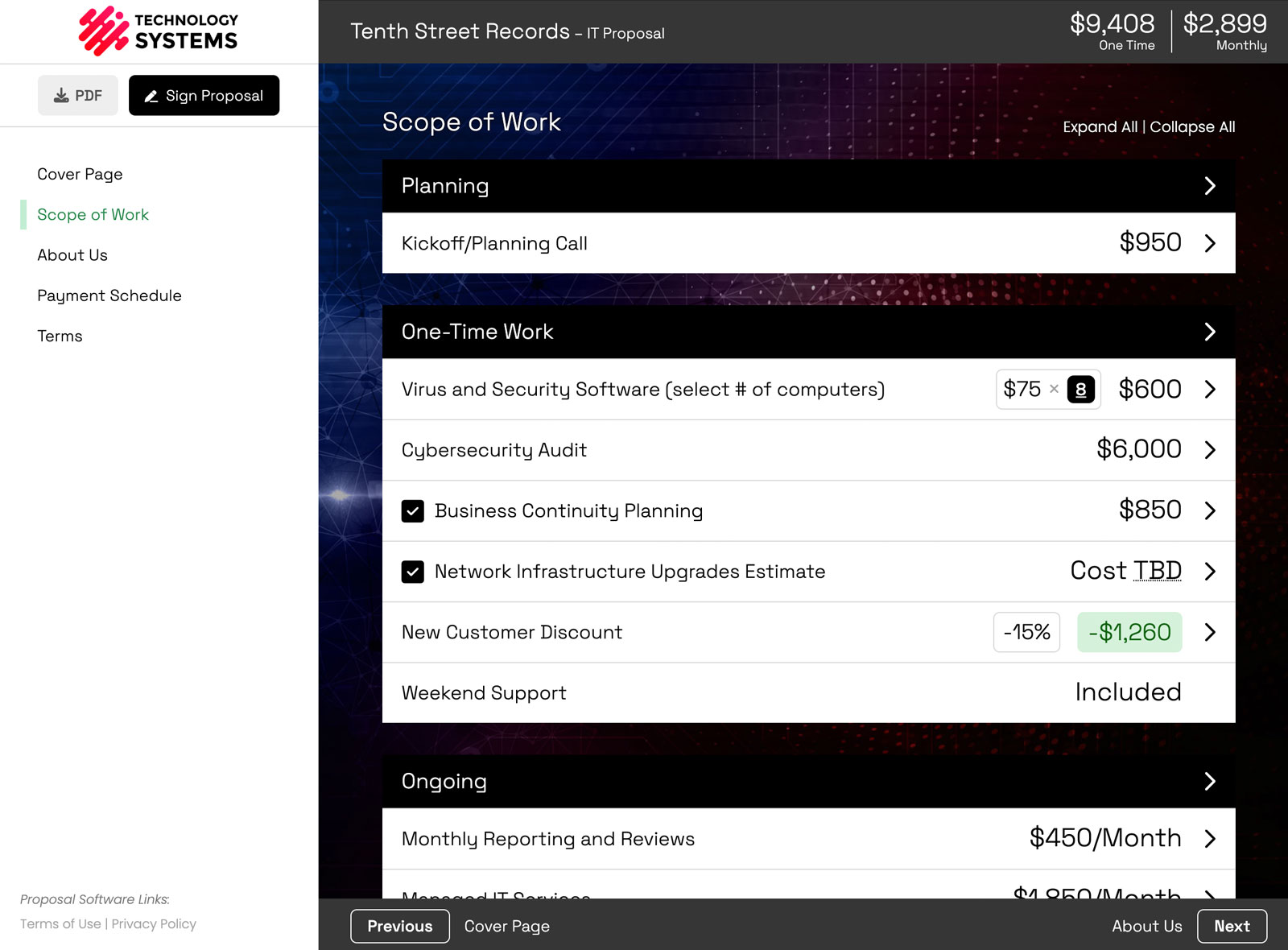
Now? You can go to a product page, screenshot a laptop, paste it into Claude alongside three or four other products, and get polished line items built out in seconds. Often better than a distributor feed would produce, because you can give Claude so much more context about the client and the job.
For an MSP or IT provider, that means you can quote hardware and services in the same proposal without maintaining a single distributor feed. Screenshot the products, describe the job, and let the AI draft the line items.
Notice the thread running through all three examples: the AI is not spitting out generic filler. It works from your real pricing, your templates, and your past proposals, so what comes out is specific to your business and ready to send.
Claude brings the knowledge. Smart Pricing Table brings the format.
Here is how I think about all of this. Claude has the knowledge: your industry, best practices, pricing psychology, all of it. What Claude cannot do on its own is produce a proposal that is interactive, on-brand, and formatted in a way that actually sells.
That is where Smart Pricing Table comes in.
Your proposal still needs interactive pricing the client can adjust, a clean layout, and a simple way to sign. Pairing an AI assistant with dedicated AI proposal software is what turns raw knowledge into a document that actually closes.
AI is here whether we like it or not, and proposal writing is going to get easier because of it. The customers who have made the switch are not going back.
How to try it yourself
If you already have an account, you can turn it on in a couple of minutes:
- Open Settings → Integrations and choose the AI Agents tab.
- Follow the prompts to connect Claude (or ChatGPT) to your account.
- Start with a low-stakes proposal to get a feel for the workflow.
Two quick notes: the feature is in beta, so make your final edits by hand on anything high-stakes, and access is currently limited to Owners and Admins. New to Smart Pricing Table? The fastest way to see it is a quick demo.
or start a free trial and try it yourself.
Explore more
Connect Claude & ChatGPT
Quote products and services
See interactive examples
Frequently Asked Questions
What are some real examples of using AI to build a proposal?
Common examples include turning meeting notes or a call transcript into a drafted proposal, creating reusable templates from documents you already have, and generating product line items from a screenshot. Each one uses your real pricing and library, so the output is a draft you can actually send.
Can Claude build a proposal from meeting notes?
Yes. Once Claude is connected to Smart Pricing Table, you can hand it your meeting notes or a call transcript and it will draft a proposal using your real line items and pricing. Customers report going from notes to a ready-to-send draft in a few minutes, work that used to take two to four hours.
Can AI turn a screenshot into proposal line items?
Yes. You can paste a screenshot of a product, for example a laptop from a retailer page, into Claude along with a few others, and it will build polished, professional line items for you. This is especially useful for IT providers and MSPs quoting physical products.
Do I need distributor integrations to quote products in Smart Pricing Table?
No. Instead of relying on distributor feeds, you can give Claude screenshots or product details and it will create the line items directly in your proposal, often with better context than a standard integration would provide.
How much time does AI save when writing a proposal?
It depends on the proposal, but the savings can be significant. One customer estimated that building a fully custom proposal straight from a meeting transcript saved him two to four hours, because he no longer had to chase down pricing or assemble line items by hand. The more of your pricing and templates live in your account, the more the AI can do for you.
Is the AI accurate enough to send to clients?
Because the AI builds from your actual templates, library, and pricing rather than guessing, the drafts are accurate and on-brand. The feature is in beta, so we recommend reviewing and approving every proposal before it goes to a client.
You might also like:
👉 How to Build Proposals with AI: Connect Claude or ChatGPT
👉 AI Proposal Software
👉 MSP Proposal Software