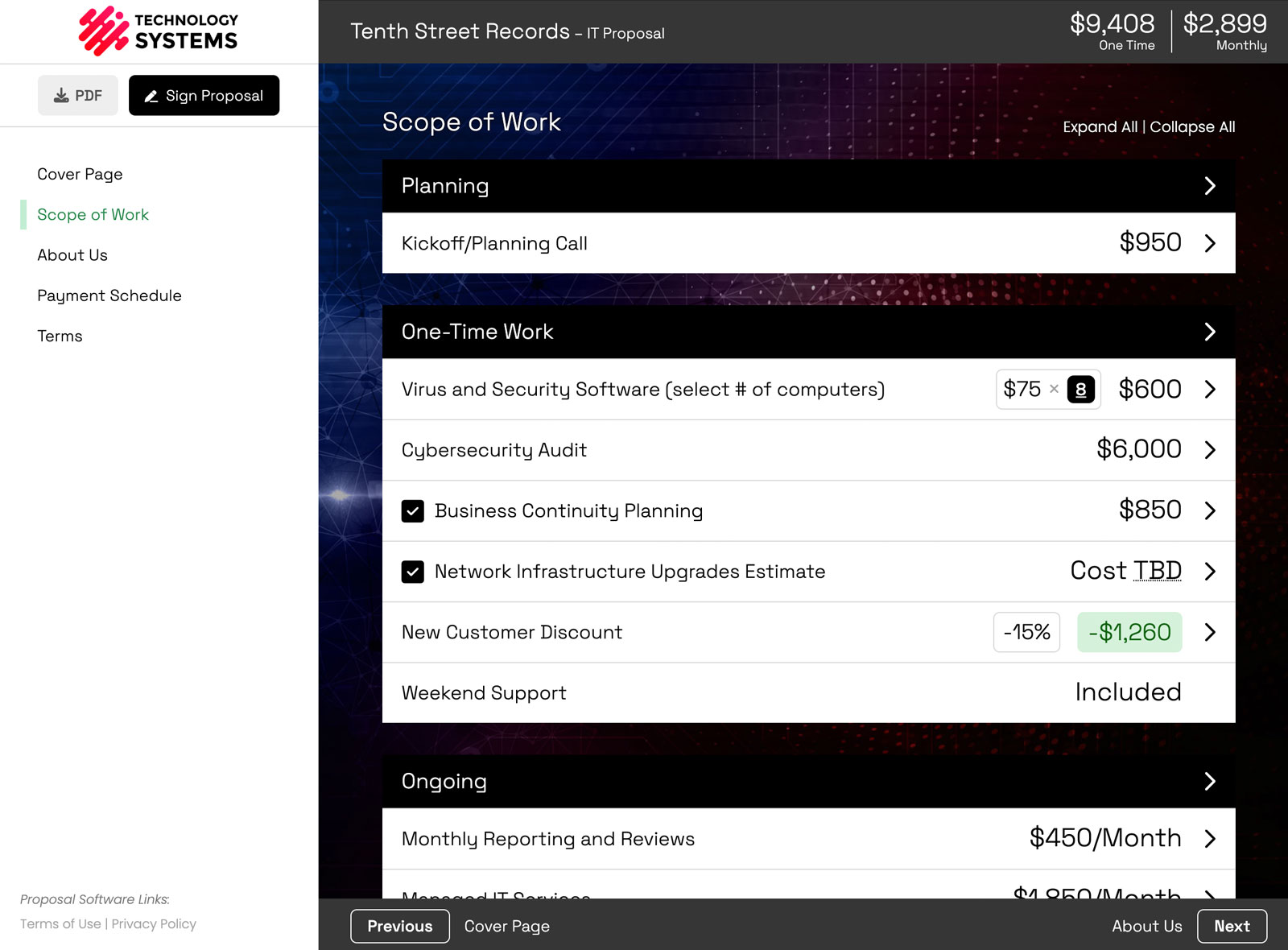
Since January 2026, Smart Pricing Table has shipped 25 headline features, including fully branded built-in e-signatures, granular design controls with saved themes, proposal building with Claude and ChatGPT, version control, an approval workflow, and webhooks. Here is the full list, grouped by what each one helps you do.
If you looked at Smart Pricing Table before 2026, a lot of what you remember has changed. In January we finished rebuilding the platform from scratch, and over the first half of the year we moved every customer onto it.
Almost everything below is something the old platform could not support. And this is not everything we shipped. It is the 25 most likely to matter if you build and send proposals for a living.
- Signing and branding: features 1 to 3
- Design and the client experience: features 4 to 6
- AI: features 7 and 8
- Pricing and terms: features 9 to 14
- Running a team and a pipeline: features 15 to 20
- Building proposals faster: features 21 to 23
- Connecting your other tools: features 24 and 25
Signing and branding
1. Built-in, fully branded e-signatures
Signing now happens inside the proposal itself, with no third-party signing tool. We used to hand signing off to outside software, and a lot of customers struggled with it: a different-looking screen, different emails, and a moment where the client felt like they had left your proposal right when it mattered most.
Now signature request emails carry your company name. You can set a client signer, additional signers, and your own company signer, and turn on automated reminders so unsigned requests get nudged on a schedule. When everyone has signed, you can download a signed PDF that includes the audit trail (each signer's name, date, IP address, and browser).
When we already know who someone is, there is no separate email at all. You are logged in, so you sign in one step. A client who opened the proposal from the email you sent through Smart Pricing Table can sign right there too. It is part of what makes a proposal feel like a branded proposal from start to finish.
2. Initials blocks
Signatures say the client agreed to the whole document. Initials blocks make them acknowledge a specific section, like your exclusions or your payment schedule, before they finish signing. Each one is recorded on the audit trail. The full walkthrough is in how to require initials on the pages clients skip.
3. Your own domain (Business plan)
Proposal and signing links can run on your own subdomain instead of ours. You add it under Settings → Company and verify it with a DNS record, and your clients see your domain from the first click to the signature.
Design and the client experience
4. Granular design controls and saved themes
We used to have customers we simply could not do enough for on design. The design settings now go much deeper:
- Colors set separately for the logo area, navigation, proposal header, group headings, line items, primary and secondary buttons, and links.
- Fonts for eight different places, from headings and navigation to line items, buttons, and pricing.
- Corner radius, shadows, and border width for buttons and groups.
- Backgrounds with size, position, repeat, and opacity, plus a per-page design drawer so one page can look different from the rest.
- Content width (full, medium, compact, or narrow) so long text stays readable.
- Themes. Save the whole look once and apply it to any proposal, so your team stops rebuilding it.
The design features page shows what each setting does.
5. Continuous scroll
Clients can now scroll through the whole proposal in one view instead of clicking page by page. The page list still jumps to any section. It is on by default, and you can switch back to page-by-page under Settings → Proposals → Display Settings, or per proposal.
6. Comparison-style side-by-sides
Side-by-side package options now have a Comparison style: a feature grid with check marks, plus section headings to group the rows. It is the format clients expect when they are choosing between Good, Better, and Best. More on the side-by-side feature page.
AI
7. Build proposals with Claude or ChatGPT
You can connect Smart Pricing Table to Claude or ChatGPT and have it draft a proposal from your meeting notes, a document, or a transcript, using your real templates and library line items. It is available on every plan. See how to connect Claude or ChatGPT and three real examples, or the AI agents feature page.
8. Digit, the in-app help assistant
Digit lives inside the app and answers "how do I…" questions from our actual help documentation, any time of day. When you would rather talk to a person, it hands you off. Meet Digit.
Pricing and terms
9. Volume pricing
Set a different unit price for different quantity ranges on the same line item, so the rate comes down as the order grows. The whole quantity uses the rate for the range it falls in, and the client sees the full rate card. Details in the volume pricing walkthrough and on the volume pricing page.
10. Require a selection
For sections where the client picks from optional items (groups, line items, or add-ons), you can now require at least one choice before they can accept or sign. No more signed proposals with the one decision you needed left blank.
11. Dynamic Terms (Business plan)
Write terms on the line items they belong to. Your terms page then includes only the terms for what the client actually selected, so an optional service they skip brings none of its fine print along. It is an included add-on on the Business plan. See why your terms should live on the line item and the Dynamic Terms page.
12. Profit Margins (add-on)
Enter what each line item costs you to deliver, and see your profit and margin in the editor before you send. Your client never sees it. More in see your profit margin before you send and on the Profit Margins page.
13. Out-of-Pocket Expenses (add-on)
Ad spend, licenses, hosting, and other pass-through costs total separately from your fee, so clients can see exactly which part is yours. Walkthrough: show ad spend separately from your management fee.
14. Smarter variables
Variables can now do a lot more than fill in a company name:
- Live price totals. Drop the proposal total, a single group, or a single line item into any sentence, even multiplied or divided. Change the pricing table and the text updates. (How it works.)
- Date formats and an execution date that fills in the day the proposal was signed or accepted, which makes a clean effective date.
- Custom variables per proposal and template, including ones the client fills in when they sign, like a PO number.
Running a team and a pipeline
15. Version control (beta available upon request if you’re on our Business plan)
Keep working on a new version of a deal while your client still sees, and can sign, the current one. Same link the whole time. When the new version is ready, you make it the one the client sees.
16. Approval workflow (beta available upon request if you’re on our Business plan)
Team members with the Creator role request approval before a proposal goes out. Approvers (all admins, or specific people you choose) get an email, approve or decline with a note, and see everything waiting on them at the top of the proposals list. If the proposal is edited after approval, it has to be approved again.
17. On Hold status
Not every stalled deal is lost. Park the paused ones as On Hold so your won/lost numbers stay honest. See how to put a proposal on hold.
18. Analytics
A reporting page with proposals sent, proposals signed, win rate, and average signed deal size. Filter by date range or by the person who created the proposal, and see the monthly trend and a per-person breakdown.
19. Proposal tags and filters
Add your own tags to proposals (by service, by rep, by season, whatever fits how you work) and filter the proposals list by a tag, or by proposals with no tags at all.
20. Automatic proposal numbers
Every new proposal gets its own number, which makes matching proposals to invoices and contracts easy. See how to add proposal numbers.
Building proposals faster
21. Linked library content
Line items, pages, and side-by-sides in your templates can stay linked to your library. Update the item once and every template that uses it updates too. Proposals you have already created stay exactly as they were.
22. Copy to another proposal
Send a page, group, line item, or side-by-side straight into another proposal or template, and choose exactly where it lands. No more saving to the library just to move something. Walkthrough in Copy To, Webhooks, and Execution Date.
23. Saved email templates
Save the emails you send with proposals as reusable templates, with variables like the client's first name filled in automatically, and load one in a click on your next send.
Connecting your other tools
24. Webhooks (Business plan)
Send a signed event to your own systems when a proposal is created, sent, opened, updated by the client, sent for signing, won, or lost. Useful for invoicing, Slack alerts, or your data warehouse. See the webhooks page.
25. GoHighLevel CRM sync (Business plan)
Smart Pricing Table now syncs deals with GoHighLevel, alongside HubSpot, Pipedrive, and Zoho, including stage updates and an optional signed-PDF upload. See all integrations.
What these have in common
Most of this list is the payoff from one unglamorous decision: rebuilding the infrastructure underneath the product so we could keep saying yes. Smart Pricing Table is interactive proposal software with live pricing tables for agencies, IT companies, and consultants, and it now ships improvements at a pace the old platform never could.
Existing customers can keep up with new releases in Updates, in the left sidebar of the app.
or start a free trial and try it yourself.
Explore more
Colors, fonts, and themes
Build proposals with Claude or ChatGPT
HubSpot, Pipedrive, Zoho, GoHighLevel
Frequently Asked Questions
What is new in Smart Pricing Table in 2026?
In 2026 Smart Pricing Table rebuilt its platform and shipped features including built-in branded e-signatures, initials blocks, granular design controls with saved themes, proposal building with Claude and ChatGPT, volume pricing, Dynamic Terms, Profit Margins and Out-of-Pocket Expenses add-ons, version control, an approval workflow, analytics, webhooks, and a GoHighLevel CRM integration.
Does Smart Pricing Table have built-in e-signatures?
Yes. Signing happens inside the proposal with no third-party signing tool. Signature emails carry your company name, you can add multiple signers and automated reminders, and the signed PDF includes an audit trail with each signer's name, date, IP address, and browser.
Can I customize the design of my proposals in Smart Pricing Table?
Yes. You can set separate colors for the header, navigation, group headings, line items, buttons, and links, choose fonts for eight different places, adjust corner radius, shadows, and borders, set page backgrounds and content width, and save the whole look as a theme to reuse on any proposal.
Can Smart Pricing Table build proposals with AI?
Yes. You can connect Smart Pricing Table to Claude or ChatGPT, which can then draft a proposal from meeting notes, documents, or transcripts using your own templates and library line items. The AI connection is available on every plan.
Does Smart Pricing Table have version control for proposals?
Yes, as a beta available on request for Business plan accounts. Version control lets you keep editing a new version of a deal while the client still sees and can sign the current one, on the same link, and switch the client over when the new version is ready.
Can clients be required to initial specific sections of a proposal?
Yes. Initials blocks can be placed on any page so the primary signer has to initial those spots, such as exclusions or a payment schedule, before completing their signature. Each initial is recorded on the audit trail.
Which Smart Pricing Table features need the Business plan?
CRM integrations (HubSpot, Pipedrive, Zoho, and GoHighLevel), webhooks and the API, a custom domain for proposal and signing links, and the Dynamic Terms add-on are on the Business plan. Version control and the approval workflow are available as betas on request for Business plan accounts.
Does Smart Pricing Table integrate with GoHighLevel?
Yes. On the Business plan, Smart Pricing Table syncs deals with GoHighLevel, including stage updates and an optional upload of the signed PDF, alongside its HubSpot, Pipedrive, and Zoho integrations.
You might also like:
👉 Smart Pricing Table V2: Rebuilt from Scratch with Powerful New Features
👉 3 New Features: Copy To, Webhooks, and Execution Date
👉 Why Your Terms Should Live on the Line Item