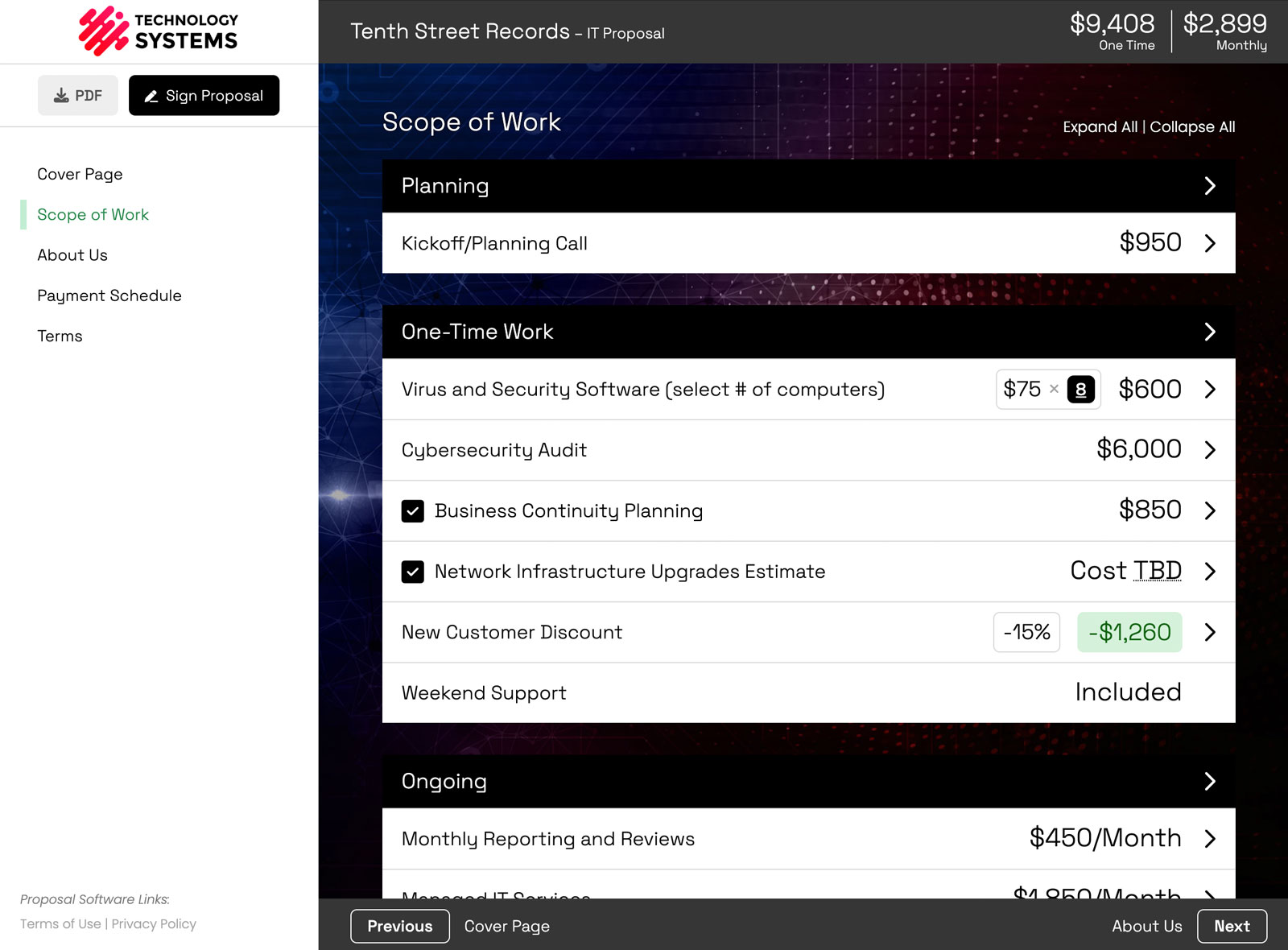
The first meeting went well. Your prospect liked the proposal, but they want a smaller starting package, a different payment schedule, and one extra service priced out. So you open the proposal and start editing.
Here's the catch. They still have the link. If they open it while you're halfway through, they see a total that doesn't add up and a package you haven't finished writing. The usual workaround is to duplicate the proposal, fix the copy, and send a new link. Now they have two proposals in their inbox and have to guess which one is current.
Version control fixes that. You create a new version of the proposal, make your changes privately, and switch your client over when it's ready. They keep using the same link the whole time.
When you'd use a new version
- A revised quote. Your prospect asks for changes after the first meeting.
- A pricing or package rework. You want to restructure things without your client catching a half-finished version.
- A second option. You're building an alternative based on feedback, but you want to keep the original intact in case they go back to it.
- Internal review rounds. Your team needs a couple of passes before the client sees anything.
How to create a new version of a proposal
- Open the proposal (or the version you want to start from).
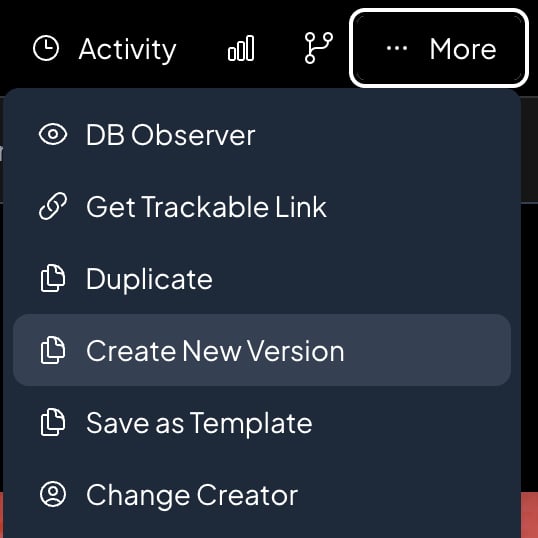
- Click the More menu and choose Create New Version.
- Add a short note for your team if you like, such as "Smaller starter package."
- Click Create Version.
The new version is a full copy of the version you have open: pages, pricing, design, and settings. Make whatever changes you want. Your client won't see any of them. You can keep going with a third version, a fourth, or as many as the deal needs.
Can I stop my client from changing their selections while I edit?
Yes. When you create a new version from the one your client is looking at, you can check Lock the current customer version. Your client can still read it, but they can't change selections or quantities, and they see a short notice that a new version is on the way. It's a nice way to say "hang tight, an update is coming" without sending an email.
Working version vs. customer version
Once a proposal has more than one version, two labels show up in the version history:
- Customer version is what your client sees on their link. It's also what they sign, what the PDF and payments use, and what shows up on your proposals list.
- Working version is the one your team is editing. It's what opens when you click the proposal from your list.
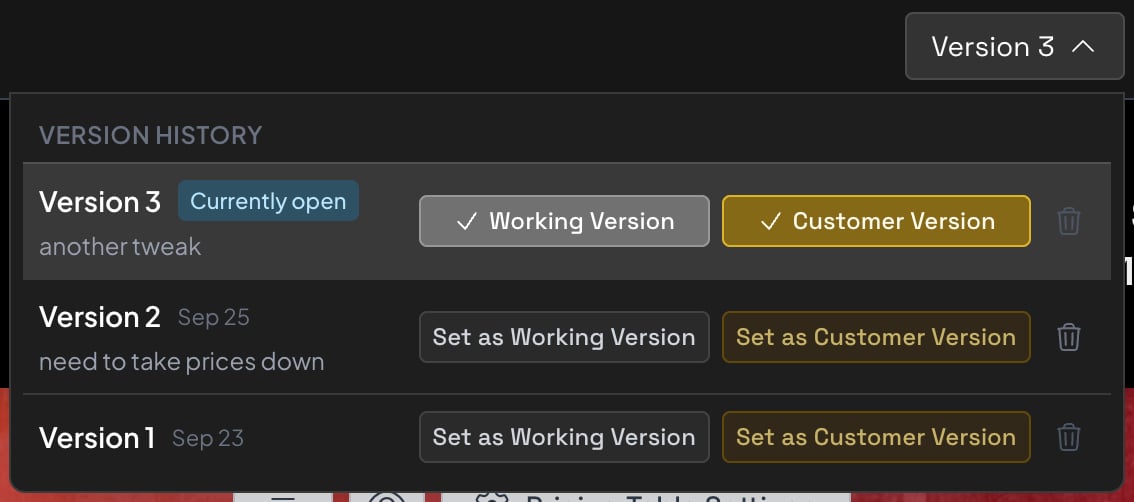
Your proposals list stays tidy too. Each deal still gets one row, not one row per version.
How to show your client the new version
When the new version is ready, click Set as Customer Version. That's it. The next time your client opens their link, they see the update.

No more "here's the updated link" emails, and no more clients looking at the wrong proposal. Want to go back? Set an earlier version as the customer version instead.
What happens once the proposal is signed
Once the proposal is out for signatures, or it's marked won or lost, every version locks. You can't edit the other versions or switch the customer version, so nobody changes a deal after the client has agreed to it.
Need to make a change while it's out for signatures? Cancel signing on the customer version first. That unlocks the versions again.
Version control and approval workflows
Approval workflows are part of the same beta, and they're built to work with version control. A team member can build a proposal, but an admin has to approve it before it goes out. After it's sent, the proposal is locked. To make changes, they create a new version, and that version needs its own approval before it can become the customer version.
Everything your client sees has been reviewed, and you always know who changed what.
Who can use version control?
Version control is on the Business plan and is currently in an invite-only beta. If you're on Business and want early access, reach out to us and we'll turn it on for your account. Templates can't be versioned, but any proposal made from a template can.
New to Smart Pricing Table? It's interactive proposal software with live pricing tables, built for agencies, IT companies, and consultants. Clients pick their options, see the total update, and sign in the same place. See the plans and pricing for what's included at each level.
or start a free trial and try it yourself.
Explore more
Set exactly what clients can change
Live totals clients can adjust
Reusable line items and templates
Frequently Asked Questions
How do I revise a proposal after I've already sent it?
In Smart Pricing Table, open the proposal and choose More, then Create New Version. Make your changes in the new version, then click Set as Customer Version when it's ready. Your client sees the update on the same link you already sent.
Does my client see my changes while I'm editing?
No. Your client only sees the customer version. Everything you change in a new version stays private until you set it as the customer version.
Does the proposal link change when I create a new version?
No. Every version shares one link. Whichever version you set as the customer version is what your client sees when they open it.
Can I go back to an earlier version?
Yes. Every version stays in the version history. Open the one you want and set it as the customer version, as long as the proposal isn't out for signatures, won, or lost.
What's the difference between a new version and duplicating a proposal?
A new version stays part of the same deal, with the same proposal number and the same client link. Duplicating creates a separate, standalone proposal with its own link, which is better when you're starting a new deal.
Can my client change their selections while I work on a new version?
Only if you let them. When you create a version from the one your client sees, check Lock the current customer version. They can still read the proposal, but they can't change selections or quantities, and they see a notice that an update is coming.
Which plan includes proposal version control?
Version control is on the Business plan and is currently in an invite-only beta. Business customers can contact us to get early access.
You might also like:
👉 Collect Client Details Before They Sign the Proposal
👉 3 New Features: Copy To, Webhooks, and Execution Date
👉 What's New in Smart Pricing Table: 25 Features Shipped in 2026