You know how it goes. The client signs your proposal, and then the follow-up emails start. What's your PO number? When do you want to kick off? Who are your main competitors? Half the answers come back a week later, and one of them never comes back at all.
There's an easier way: ask those questions inside the proposal itself. With fields in Smart Pricing Table, your client types into a text box, picks a date, or chooses from a dropdown while they're reading. If an answer is required, they can't sign until it's filled in.
Here's what to ask, and how to set it up.
Which questions belong in the proposal (and which can wait)
Not every question needs to be in the proposal. A good rule of thumb: if you can't start the work, send the invoice, or book the kickoff without it, ask it before they sign.
- Paperwork. PO number, billing contact, the legal name that goes on the invoice.
- Scheduling. Preferred kickoff date, go-live date, event date.
- Scope inputs. Number of users, number of pages, primary site address, top competitors.
- Preferences that change the plan. Hosting provider, meeting cadence, preferred contact method.
Everything else, like brand voice notes or a long discovery questionnaire, can wait for the kickoff call. Clients will happily answer five good questions. Twenty-five is where they start skipping.
How to add a field to a proposal
- Open a content page, or click into a line item, group, or add-on description.
- Put your cursor where the question belongs.
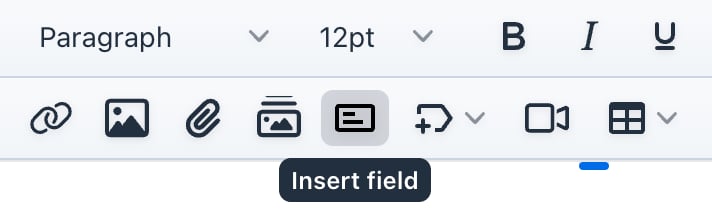
- Click Insert field in the editor toolbar.
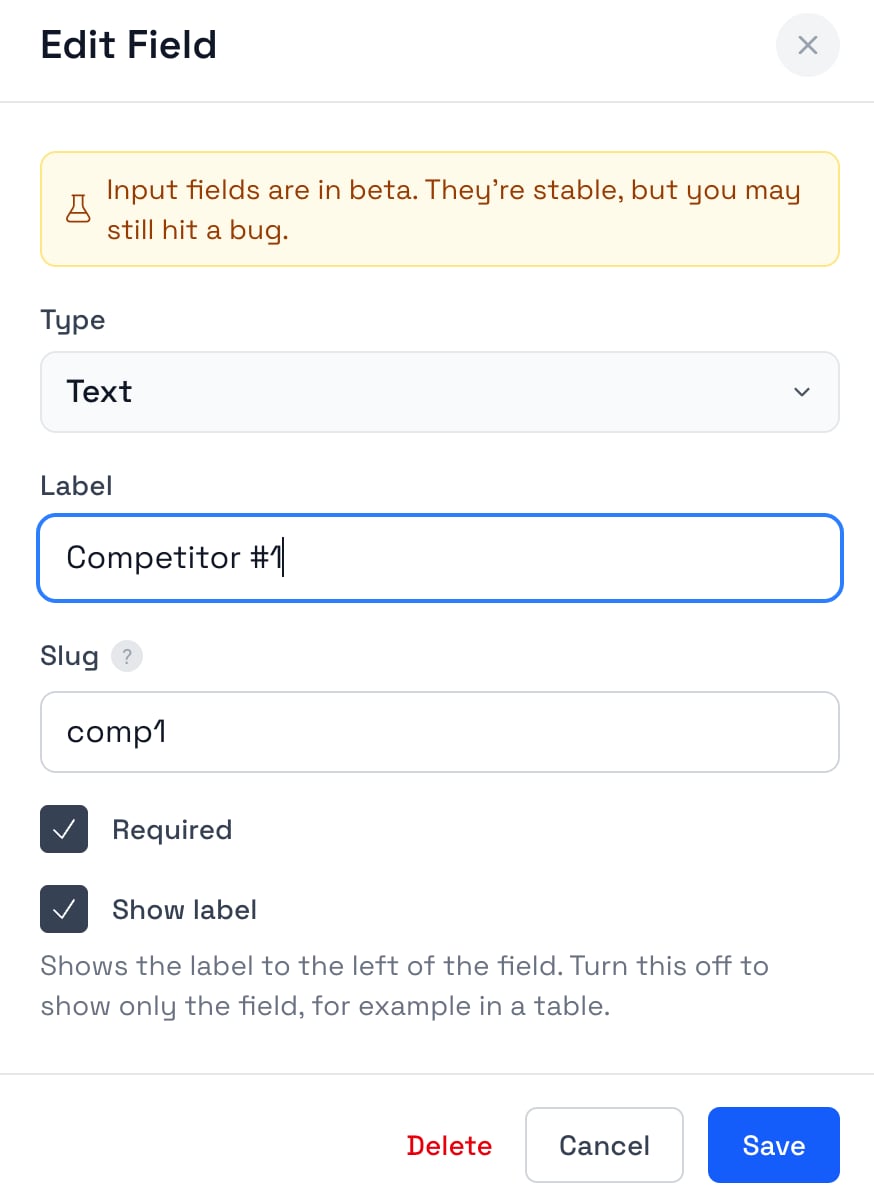
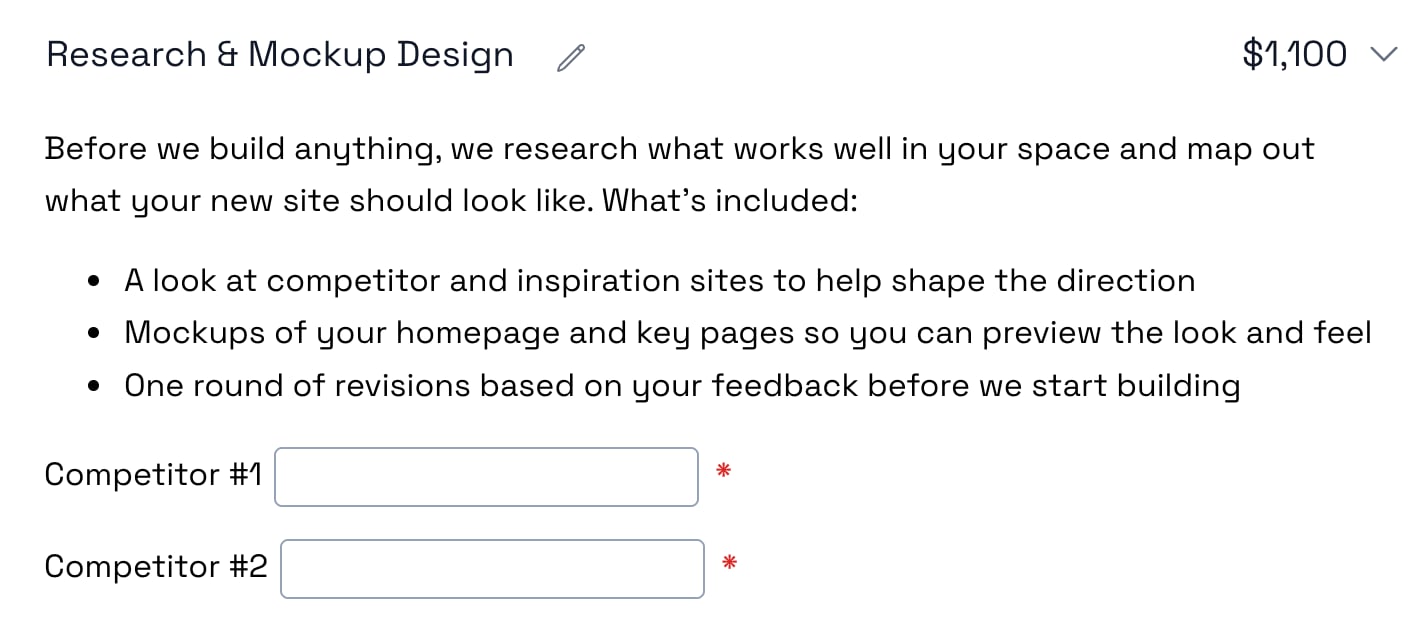
- Pick a Type and give it a Label your client will understand, like "PO Number" or "Competitor #1."
- Leave Required checked if they have to answer before signing, then click Save.
You'll also see a Slug, a short name filled in from the label. You can ignore it. It only matters if you want to pull answers into other software later.
Which field type should I use?
- Text for short written answers: a PO number, a name, a domain.
- Date when you need a real date. Your client picks from a calendar, so you never have to decode "early next month."
- Dropdown when there's a fixed list of answers. You write the options, so you get clean answers instead of creative spelling.
- Radio buttons when the choices should be visible side by side, like weekly, every two weeks, or monthly check-ins.
- Checkbox for a quick yes or no, like "We have admin access to our domain."
How to require a field before the client signs
New fields start out required. That means your client can't click Sign or Accept until they've answered it. If they miss one, a Go to Field button takes them straight to it, so nobody has to hunt.
For anything that's nice to have but not essential, just uncheck Required.
Should every field be required?
No. Require the ones you truly can't start without, like the PO number or the kickoff date, and make the rest optional. A wall of required blanks on a small project is a good way to get an email that says "can we just talk about this on a call?"
Put the question next to the work it's about
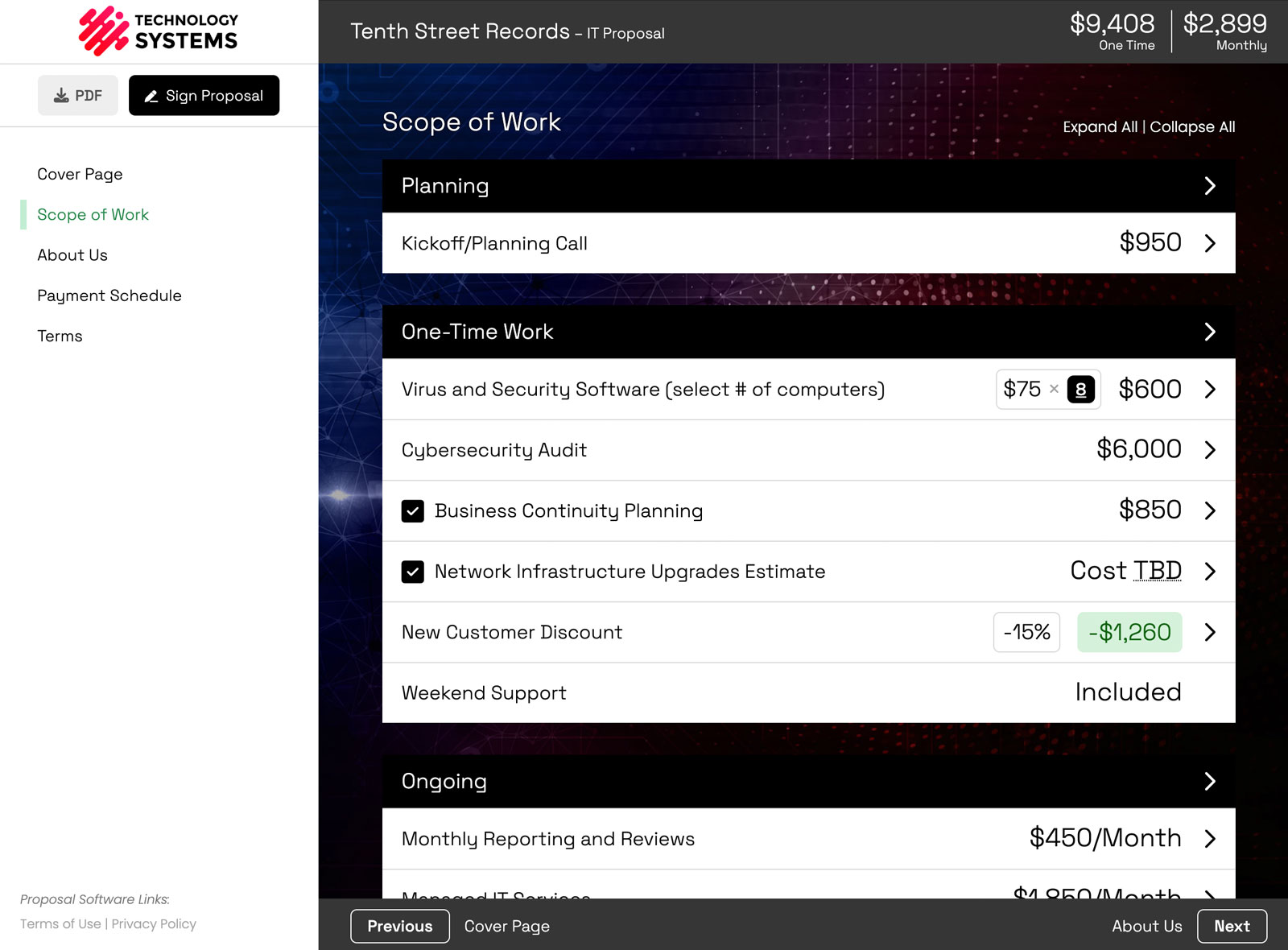
You can put a field anywhere, but it works best right inside the service it relates to. Ask for competitors under the research work. Ask about hosting under the hosting line item. Ask for the seat count under managed services.
Your client immediately understands why you're asking, because the question is sitting next to the work it's for. It also keeps things tidy in an interactive pricing table, where clients can turn optional services on and off.
Fill in what you already know
Already got the answer on your discovery call? Type it in before you send. Your client sees it filled in and just has to double-check it. It's a small touch, but it shows you were listening.
Reuse the same questions on every proposal
If you ask the same questions on every deal, set them up once. Save a line item with fields in it to your library, and the fields come along every time you use it. Everyone on your team ends up asking the same questions the same way.
What happens to the answers after they sign
- You can see them as they come in. Each answer shows up in the proposal's activity, so you know what your client entered and when.
- They're locked in. Once the proposal is signed, the answers lock with it. The scope, the price, and your client's answers all live in one signed document.
- You can send them to other tools. If you use our API (Business plan) or connect an AI agent like Claude or ChatGPT, you can pull answers out by their slug.
Want more ideas for what to ask? The Fields feature page has examples for MSPs, marketing agencies, consultants, and web shops. If you run an IT company, the MSP proposal software page shows how it all fits into a managed services proposal.
New to Smart Pricing Table? It's interactive proposal software with live pricing tables, built for agencies, IT companies, and consultants. Fields are included on every plan.
or start a free trial and try it yourself.
Explore more
Client details, collected before signing
Reusable line items and templates
Live totals clients can adjust
Frequently Asked Questions
Can a client fill out a form inside a proposal?
Yes. In Smart Pricing Table you add fields right in the proposal content: text boxes, dates, dropdowns, checkboxes, and radio buttons. Your client fills them in while they review, and the answers save with the proposal. There's no separate form or link to send.
How do I make a field required before signing?
Leave Required checked when you create the field. It's on by default. A required field blocks the Sign and Accept buttons until it's answered, and your client gets a Go to Field button that scrolls them straight to anything they missed.
Where can I put a field in a proposal?
On content pages, in line item and group descriptions, and on add-ons. Click where the question belongs, then click Insert field in the editor toolbar. Fields work best inside the line item they relate to, so your client sees why you're asking.
What's the difference between a dropdown and radio buttons?
Both let your client pick one option from a list you write. A dropdown keeps the options tucked away until they click, which is better for long lists. Radio buttons show every option at once, which is better when there are only a few and you want them compared.
Can I fill in a field before I send the proposal?
Yes. Type the answer into the field before you send, and your client sees it already filled in. It's useful for anything you learned on the discovery call, so they only have to confirm it.
Do fields save when I add a line item to the library?
Yes. Save a line item with fields in it to your library, and the fields come along every time you add that line item to a proposal. Each copy gets its own slug, so answers on different proposals never get mixed up.
Where do I see what my client entered?
In the proposal itself and in the proposal's activity, which logs each answer as your client fills it in. Once the proposal is signed, the answers lock with it. You can also read any answer by its slug through the API or from an AI agent over MCP.
You might also like:
👉 Require Initials on Proposal Pages Your Clients Might Skip
👉 Why Your Terms Should Live on the Line Item
👉 What's New in Smart Pricing Table: 25 Features Shipped in 2026