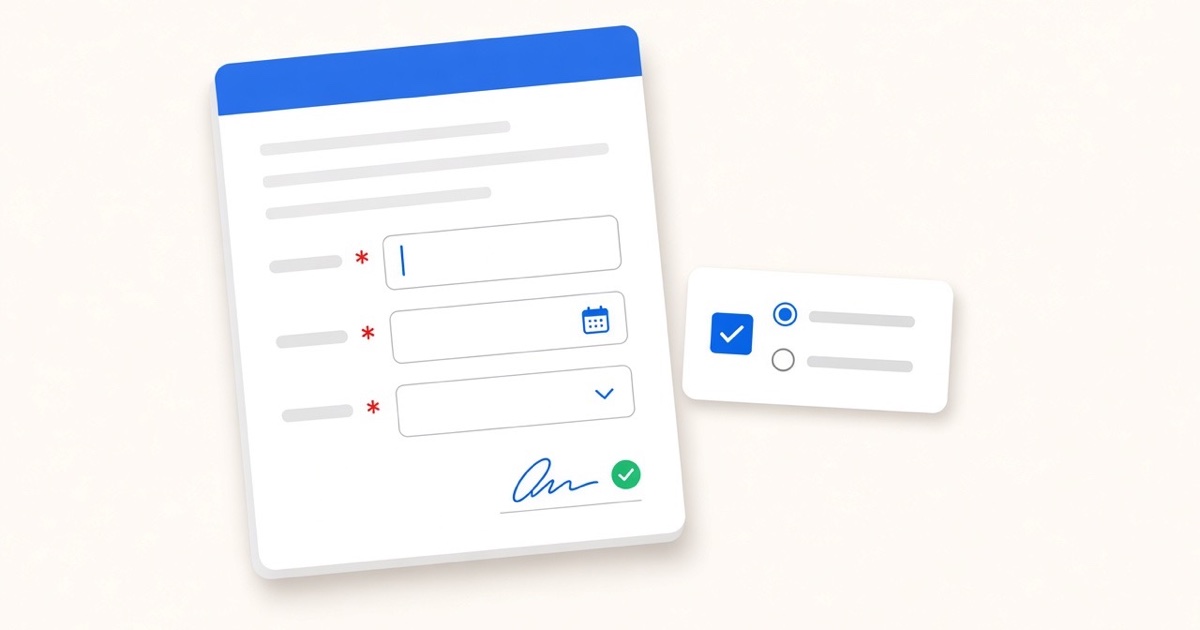
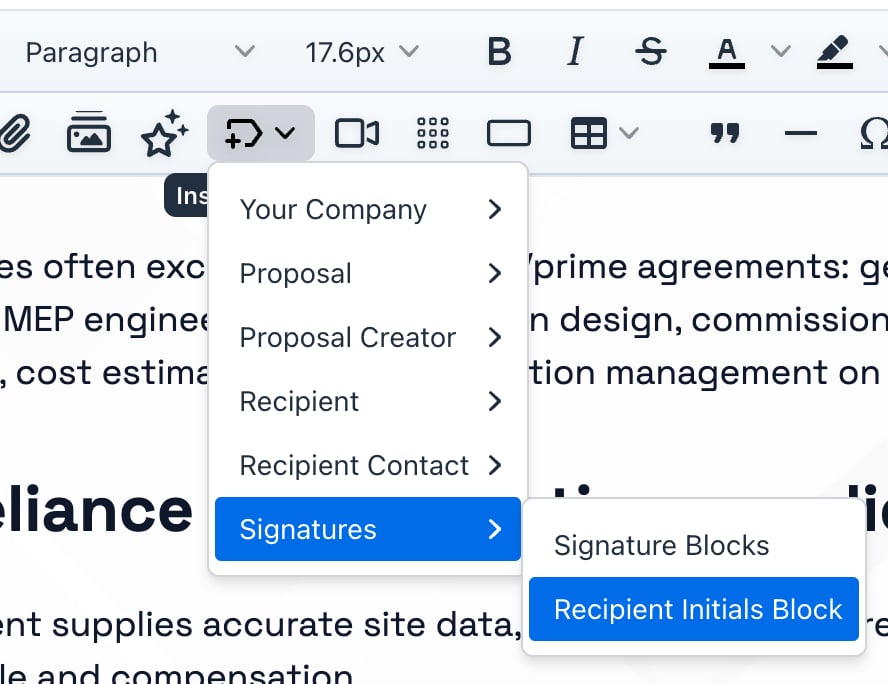
To require initials on a specific proposal page in Smart Pricing Table, open the proposal or template and go to Variables. Choose Insert Variable → Signatures → Recipient Initials Block, then place it on the page or section you want acknowledged. When your client signs, they have to initial every field before they can finish.
Here is the problem. One signature at the bottom covers the whole document, but it does not prove anyone read page four.
So when a client says they never saw the exclusions, the payment schedule, or the scope cap, you are arguing from memory.
An initial on that page is a simple record that they saw it.
What proposal initial fields are for
An initial field is a small acknowledgment spot on a page or section.
Your client initials it while they sign, separate from the full signature at the end.
Good places to use one:
- Exclusions and assumptions. The page everyone scrolls past until something goes wrong.
- Payment terms. Net-30, deposits, late fees, or pass-through costs, spelled out in plain sight.
- Scope limits. "Includes up to three revision rounds" or "Excludes content migration."
- Legal or policy clauses. Anything you do not want treated as boilerplate.
How to add a recipient initials block
- Open the proposal or template you want to edit.
- Go to the Variables section.
- Choose Insert Variable → Signatures → Recipient Initials Block.
- Place it on the page or section where you want the acknowledgment.
- Add as many initial fields as you need across the document.
Each field prompts your client during signing. They cannot finish until every initial you placed has a mark.
Can I put more than one initial field in a proposal?
Yes. Add one per page or clause that matters.
A long MSP or agency proposal might need initials on exclusions, SLA limits, and the payment schedule. A short SOW might need just one, on the scope cap.
What your client sees when they sign
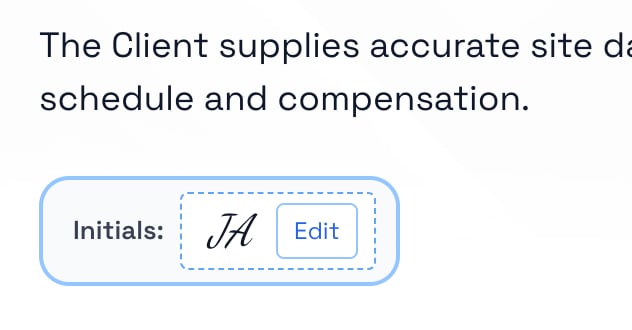
When they reach a page with an initial field, the signing flow stops and asks them to initial right there.
They can edit the mark before they continue.
It works like the rest of digital signing in Smart Pricing Table. It just happens on the page you chose instead of only at the end.
When to use initials instead of (or in addition to) a signature
Use a full signature to close the deal. Use initials to flag the parts people skip.
- Long proposals with mixed audiences. Finance cares about payment terms. Ops cares about scope. Initials give each section its own checkpoint.
- High-risk clauses. Kill fees, auto-renewals, liability caps, or third-party dependencies.
- Templates you reuse. Build the initial fields once on the template, and every send carries the same acknowledgments.
Pair this with proposal numbers. A proposal number gives the document a number so it is easy to reference. Initials show the pages inside it were actually read, not just signed.
Smart Pricing Table is interactive proposal software with live pricing tables for agencies, IT companies, and consultants.
or start a free trial and try it yourself.
Explore more
Live tables clients adjust before they sign
Give every proposal a number
Handle mid-project pauses in writing
Frequently Asked Questions
How do I add initial fields to a proposal in Smart Pricing Table?
Open the proposal or template and go to Variables. Choose Insert Variable → Signatures → Recipient Initials Block, then place it on the page you want acknowledged. Repeat for each section that needs its own initial.
What is the difference between initials and a signature on a proposal?
A signature at the end approves the whole document. Initial fields ask for a separate acknowledgment on specific pages or clauses, like exclusions, payment terms, or scope limits, before signing can finish.
Can clients skip an initial field and still sign?
No. Every recipient initials block you placed has to be completed before your client can finish. They can edit the initial mark before moving on.
Where should I put initial fields in a long proposal?
Put them on the pages clients skim: exclusions, payment schedules, scope caps, SLA limits, or any clause you do not want treated as boilerplate. Templates can carry the same fields on every send.
Do initial fields work on proposal templates?
Yes. Add recipient initials blocks to a template once, and every proposal built from that template carries the same acknowledgment points.
Are initial fields the same as DocuSign initial fields?
They solve the same problem, page-level acknowledgment during signing. The difference is that these live inside Smart Pricing Table, next to your interactive pricing, scope, and signing flow. You do not need a separate e-sign tool for proposals you send through SPT.
You might also like:
👉 How to Add Proposal Numbers to Track Every Deal
👉 3 New Features: Volume Pricing, Email Templates, Custom Variables
👉 Why a Proposal Review Meeting Closes More Deals Than Email