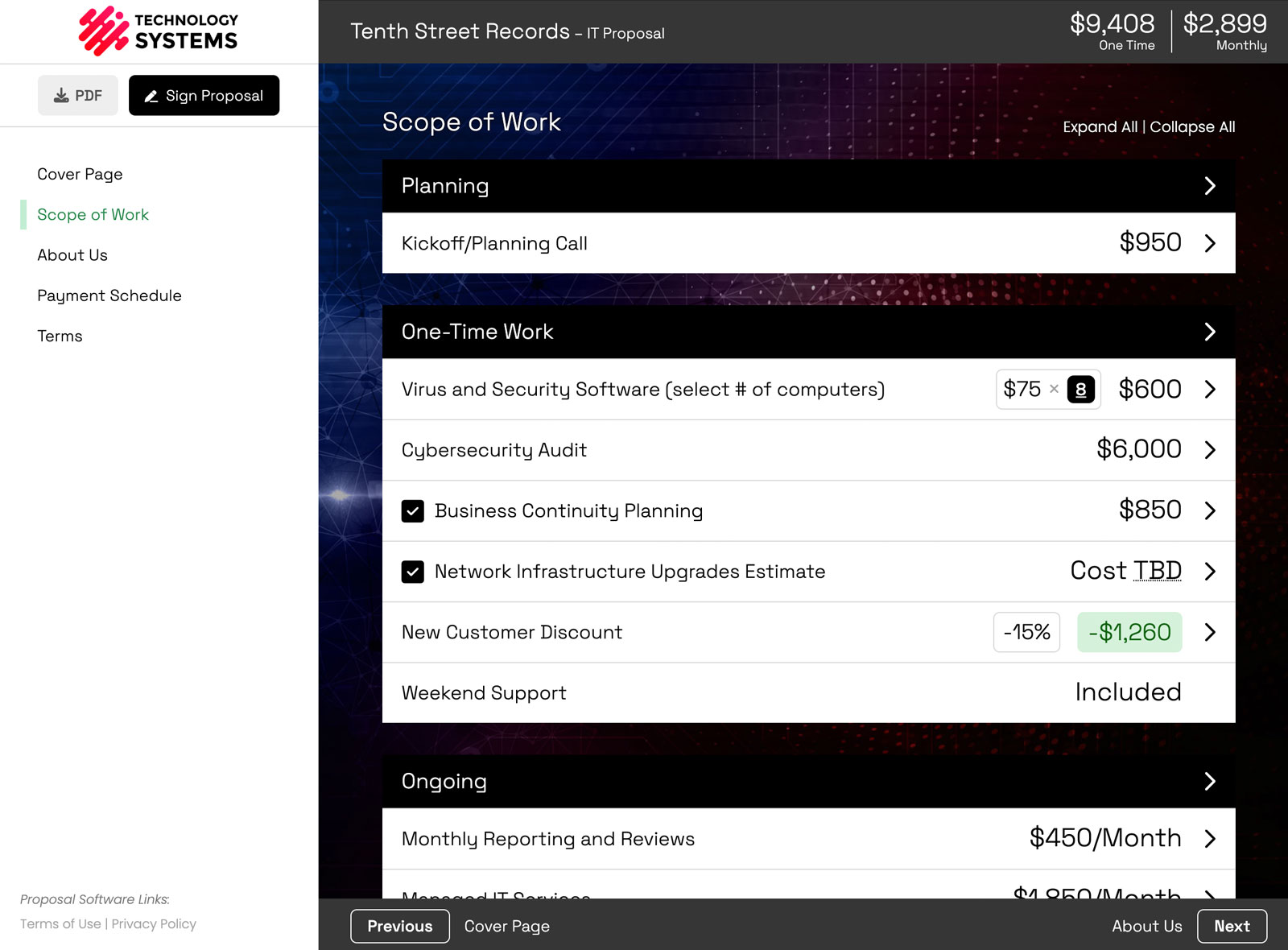
To show a pass-through cost like ad spend separately from your fee, switch on the Out-of-Pocket Expenses add-on, then enter an Out-of-Pocket amount on the line item, right next to its regular Cost. Your fee and the client's pass-through spend then total on separate lines, from the line item all the way up to the proposal total.
The reason this post exists: when $2,500 of campaign management and $5,000 of ad spend get mashed into one $7,500 number, the first thing you hear back is "which part is your fee?" and the second thing you hear is a complaint about the invoice.
What counts as an out-of-pocket expense in a proposal
An out-of-pocket expense is money the client pays on top of your fee that ends up in someone else's pocket, not yours.
- Ad spend. The media budget itself, not the fee you charge to manage it.
- Media placements and sponsorships. Podcast slots, influencer fees, print, out-of-home.
- Third-party software and SaaS licenses. AWS, Salesforce, security tooling billed through you.
- Domain, SSL, and hosting renewals. Small amounts, endless questions when they are buried.
Rule of thumb: if you are just the pipe the money runs through, it is out-of-pocket. If you keep it, it is your fee.
How to turn on Out-of-Pocket Expenses
It is off by default, and on purpose. Most accounts never pass third-party costs through, so the field stays out of their editor entirely.
- Open the Add-ons library at /addons. You need Admin or Owner access.
- Switch on Out-of-Pocket Expenses.
- That is the whole setup. Any line item or modification can now carry an out-of-pocket amount and an optional custom label.
Nothing in your existing proposals changes until you actually enter an amount. The field simply exists now.
How to add an out-of-pocket amount to a line item
- Click the line item, or its edit pencil, to open Edit Line Item.
- Stay on the General tab. The Out-of-Pocket amount sits next to the regular Cost field, which is your fee.
- Enter the pass-through amount. Add an optional custom label if "Out-of-Pocket" is not the word your client uses.
- Save.
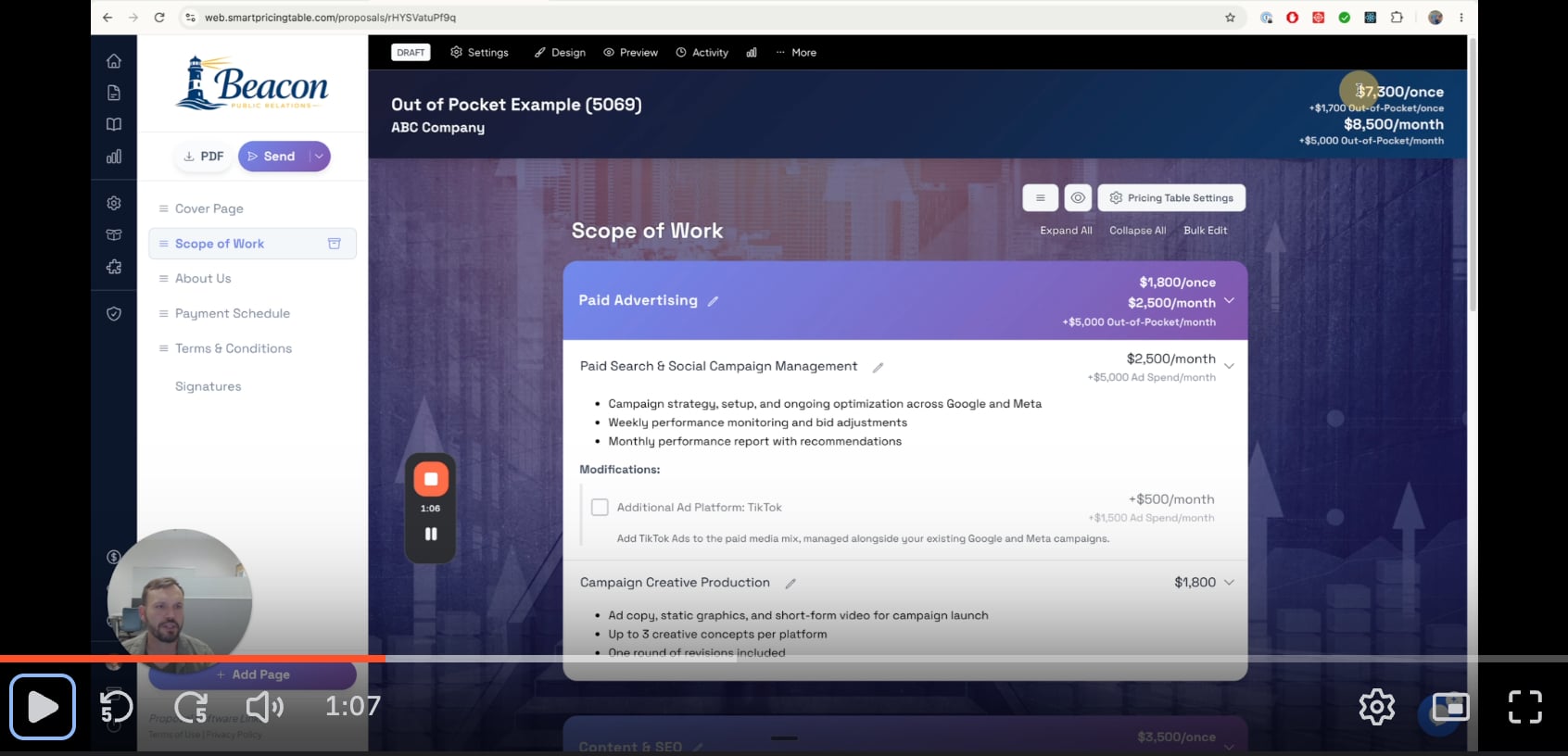
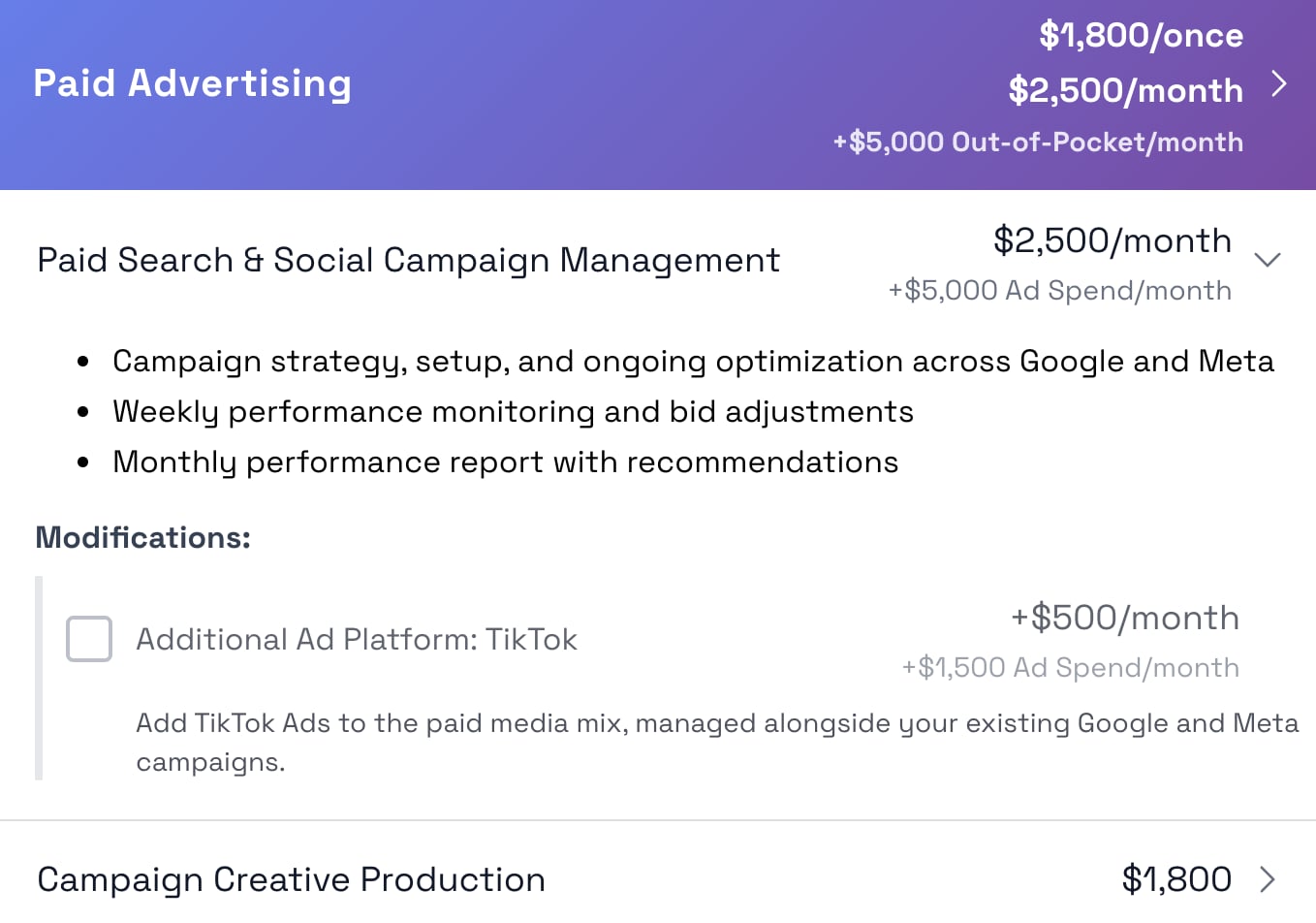
So a campaign management item can read $2,500/month as your fee, plus $5,000 Ad Spend/month as the pass-through. One item, two numbers, no math for the client to do.
Why put it on the line item instead of its own group?
Because the two numbers belong together. A separate "Ad Spend" group forces the client to match it back to the service it pays for, and the moment they turn something on or off, the pairing breaks. Attached to the line item, the pass-through cost follows the work.
Can I put pass-through costs on an optional item?
Yes, and this is where it gets useful. Open the line item and go to the Modifications tab.
Say you offer "Additional Ad Platform: TikTok" as a modification. It can carry +$500/month of your fee and +$1,500 Ad Spend/month of pass-through. If the client checks it, both numbers join the totals. If they leave it unchecked, neither one counts.
What the client sees (and what the custom label does)
Out-of-pocket amounts show up at three levels, always separate from your fee.
- On the line item: your fee, then the out-of-pocket amount under its own label.
- In the group header: for example $1,800/once, $2,500/month, and +$5,000 Out-of-Pocket/month.
- In the proposal totals: for example $7,300/once plus $1,700 Out-of-Pocket/once, and $8,500/month plus $5,000 Out-of-Pocket/month.
Custom labels stay where you set them. If you label an item "Ad Spend," the client sees "Ad Spend" on that item. Group headers and proposal totals roll everything up under the general Out-of-Pocket label, since one proposal can mix ad spend, licenses, and hosting in the same total.
Does this change the number they are approving?
It changes how legible it is. The commitment is the same, but now the fee line is defensible on its own and the pass-through line reads as what it is: money you are moving, not margin you are keeping. More on the commercial side of that on the Out-of-Pocket Expenses feature page.
How this is different from profit margins and internal cost
These two get confused constantly, so to be exact:
- Out-of-pocket is what the client pays on top of your fee. Visible in the proposal.
- Internal cost is what you pay to deliver the work, like a subcontractor or a seat you buy. The client never sees it.
Both can sit on the same item at the same time. The client sees your fee and the pass-through cost. You see the margin underneath it. If you want the internal side, that lives in Profit Margins, the other add-on.
Why this is an add-on, not a core feature
Because most accounts do not pass third-party costs through, and a field that 5 to 10% of people need should not sit in the editor for the other 90%.
Features that everyone touches go straight into the core product, like volume pricing and custom variables. Specialized ones become add-ons you switch on when you need them. Two exist today, Out-of-Pocket Expenses and Profit Margins, and more are on the way. Everyone else's interface stays clean.
If you run media, licenses, or hosting through your own invoices, this is the field you have been faking with a note in the scope. Agencies tend to turn it on for ad spend first, then quietly use it for every renewal they were absorbing.
Smart Pricing Table is interactive proposal software with live pricing tables for agencies, IT companies, and consultants.
or start a free trial and try it yourself.
Explore more
Pass-through costs, split from your fee
Internal cost the client never sees
Live totals clients can adjust
Frequently Asked Questions
Where is the Out-of-Pocket field in Smart Pricing Table?
Open the line item, or click its edit pencil, to reach Edit Line Item. On the General tab, the Out-of-Pocket amount sits next to the regular Cost field. Enter the pass-through amount there and save.
What happens if the Out-of-Pocket Expenses add-on is off?
The field is not available on line items or modifications, which is the default for most accounts. Switch the add-on on in the Add-ons library as an Admin or Owner, and the field appears on every line item and modification.
What is the difference between an out-of-pocket expense and internal cost?
An out-of-pocket expense is what the client pays on top of your fee, and it is visible in the proposal. Internal cost is what you pay to deliver the work, and the client never sees it. Both can live on the same item, with internal cost handled in Profit Margins.
Do group totals use my custom label like Ad Spend?
No. Custom labels stay on the line item where you set them. Group headers and proposal totals roll everything up under the general Out-of-Pocket label, so a proposal that mixes ad spend, licenses, and hosting still totals cleanly.
Can an out-of-pocket amount be monthly instead of one-time?
Yes. It follows the line item it is attached to, so recurring items carry a recurring pass-through cost. A proposal can show both at once, for example $1,700 Out-of-Pocket/once alongside $5,000 Out-of-Pocket/month.
Who can turn on add-ons in Smart Pricing Table?
Admins and Owners. They switch add-ons on in the Add-ons library at /addons, and the new fields then show up for everyone building proposals in the account.
You might also like:
👉 3 New Features: Copy To, Webhooks, and Execution Date
👉 3 New Features: Volume Pricing, Email Templates, Custom Variables