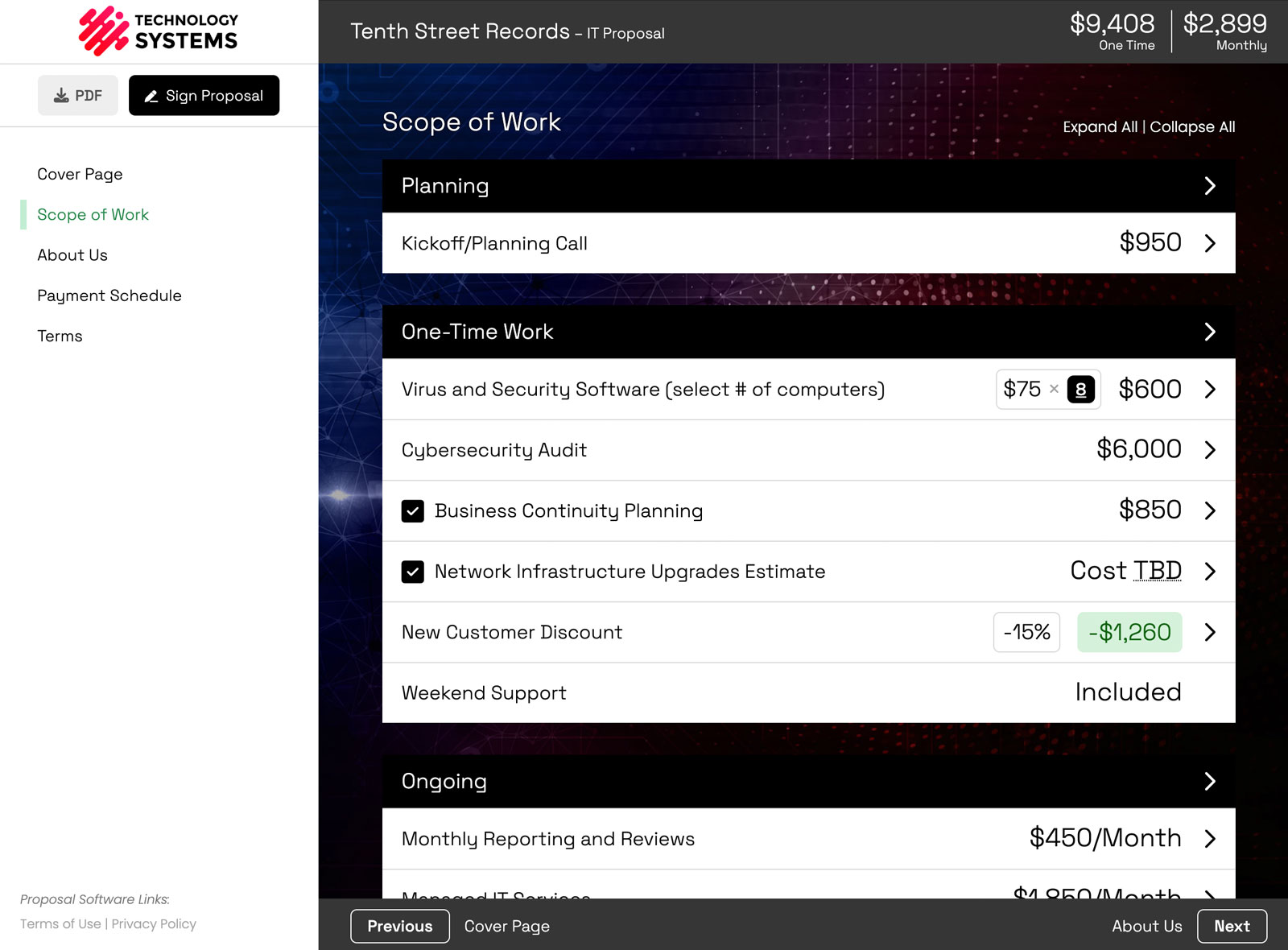
You send a proposal on Tuesday. On Wednesday, your client opens it and checks two of the optional services you included. Nice. Your GoHighLevel pipeline, meanwhile, still shows the original number. So you open the deal and type in the new total, assuming you remember to.
Then you tweak the price after a follow-up call, and the deal is out of date again. And when the client finally accepts, the deal sits in the wrong stage until someone moves it, which means the onboarding automation you built never fires.
Smart Pricing Table now integrates with GoHighLevel, so your deals keep up with your proposals on their own. Prices sync to the deal as they change, and the deal is marked won the moment your client accepts.
What the GoHighLevel integration does
- Syncs prices to your deal. When your client checks a box, or you change something that affects the price, the new total updates on the GoHighLevel deal automatically.
- Connects a deal when you create a proposal. Choose a GoHighLevel deal and Smart Pricing Table loads in its contact and company details, so you're not retyping them.
- Opens your deal in one click. Jump to the GoHighLevel deal right from your proposal in Smart Pricing Table.
- Marks the deal closed won. When your client accepts, the deal is marked won automatically. If a proposal is marked lost, the deal follows.
Quick note on wording: GoHighLevel calls deals "opportunities." Same thing. Anywhere this post says deal, you'll find it under Opportunities in GoHighLevel.
When it really helps
Your client adds optional services
Optional add-ons are one of the easiest ways to grow a deal, because the client chooses them while they're reading. With the integration, your pipeline value reflects those choices right away. No more forecasts built on the number you sent instead of the number they picked. (If you're not using optional items yet, here's why they work.)
You adjust pricing after a call
Change a quantity, swap a package, or add a discount in the proposal, and the deal value stays accurate. You edit in one place instead of two.
You want closed deals to kick off your automations
Because the deal is marked won automatically, any GoHighLevel workflow you've built around won opportunities (a welcome email, an onboarding task, a Slack ping to the team) starts without anyone lifting a finger.
How to connect GoHighLevel to Smart Pricing Table
- In Smart Pricing Table, go to Integrations, open the CRM tab, and click Connect on GoHighLevel.
- When you create a new proposal, use CRM Connection to connect it to a GoHighLevel deal.
- Send your proposal. Price changes and acceptance flow back to the deal from there.
Can I connect a proposal I've already created?
Yes. Open the proposal's Settings and connect the deal there. It will sync prices and status from that point on. The one difference: the deal's contact and company details are only loaded in when you connect the deal while creating a new proposal, so an existing proposal keeps the client details it already has.
GoHighLevel settings worth a look
After you connect, a GoHighLevel settings panel appears under the integration. The defaults work for most teams, but these are worth a minute:
- Proposal URL field. Pick the GoHighLevel field that stores a link back to the proposal, so anyone looking at the deal can open it.
- Sync deal status on win or loss. Leave this on if you want deals marked won (or lost) automatically.
- Include recurring amounts. Decide whether monthly or yearly fees count toward the deal value, or only the one-time total.
- Range handling. If you quote price ranges, choose whether the deal gets the minimum, the maximum, or the average.
Using a different CRM?
Smart Pricing Table also integrates with HubSpot, Pipedrive, and Zoho, and they work the same way. If your CRM isn't on the list, you can use our API or webhooks to build your own connection. See all of them on the integrations page.
Which plan includes the GoHighLevel integration?
CRM integrations, including GoHighLevel, are included on the Business plan. See plans and pricing for everything else that comes with it.
New to Smart Pricing Table? It's interactive proposal software with live pricing tables, built for agencies, IT companies, and consultants. Clients pick their options, watch the total update, and sign in the same place. If you run a marketing agency on GoHighLevel, the proposal software for marketing agencies page shows how it fits into your sales process.
or start a free trial and try it yourself.
Explore more
CRM, QuickBooks, Stripe, and more
Live totals clients can adjust
Proposals built for agency services
Frequently Asked Questions
Does Smart Pricing Table integrate with GoHighLevel?
Yes. Smart Pricing Table connects to GoHighLevel from the CRM tab on the Integrations page. Once a proposal is linked to a GoHighLevel deal, the proposal total syncs to the deal value and the deal is marked won when your client accepts.
Does the GoHighLevel deal value update when my client picks optional services?
Yes. When your client checks an optional item, changes a quantity, or picks a different package, the new proposal total updates on the GoHighLevel deal automatically. The same happens when you change pricing yourself.
What happens in GoHighLevel when my client accepts the proposal?
The deal is marked won automatically, as long as status sync is on in your GoHighLevel settings. That also means any GoHighLevel workflow you've built around won opportunities can start on its own.
Can I connect an existing proposal to a GoHighLevel deal?
Yes, from the proposal's Settings. Prices and status sync from then on. Contact and company details are only loaded from the deal when you connect it while creating a new proposal, so an existing proposal keeps its current client details.
How are recurring fees and price ranges sent to GoHighLevel?
You choose. In the GoHighLevel settings, decide whether recurring amounts count toward the deal value, and whether price ranges send the minimum, the maximum, or the average.
Which plan includes the GoHighLevel integration?
The Business plan. CRM integrations for GoHighLevel, HubSpot, Pipedrive, and Zoho are all included on Business.
What if I use a different CRM?
Smart Pricing Table also integrates with HubSpot, Pipedrive, and Zoho. For anything else, you can build your own connection with the API or webhooks, which are also on the Business plan.
You might also like:
👉 More Choices, More Closes: The Psychology Behind Optional Pricing
👉 3 New Features: Copy To, Webhooks, and Execution Date
👉 Proposal Version Control: Revise a Sent Proposal Without a New Link